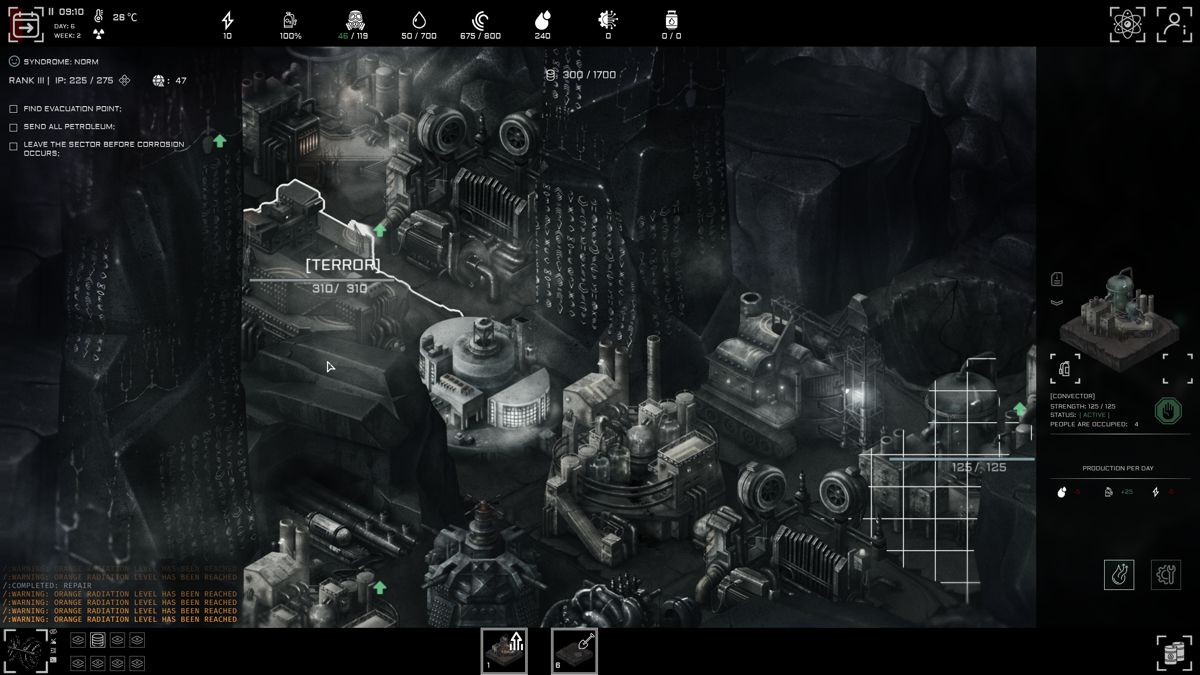
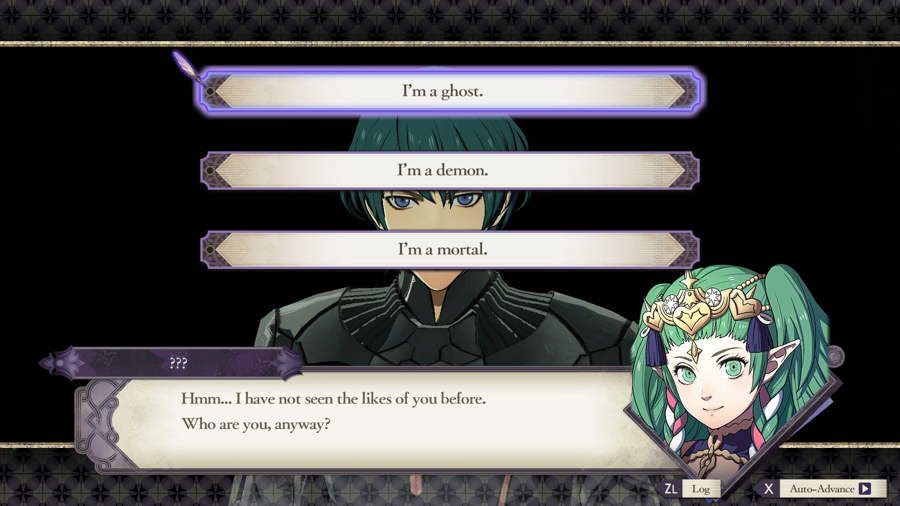




Text-based games are proof that you don’t need 4K graphics and a billion-dollar budget to glue players to a screen.
With nothing but words, a few smart choices, and some well-placed pictures, you can build an adventure that lives
in the player’s imaginationkind of like a choose-your-own-adventure book that learned to type.
This guide walks you through how to make a text based game step-by-step, from first idea to finished project.
We’ll talk about picking tools, planning branching stories, adding images, and even share a mini code example.
You don’t need to be a master programmer; you just need curiosity, patience, and maybe a snack.
What Is a Text-Based Game, Exactly?
A text-based game (sometimes called a text adventure or interactive fiction) is a game
where most of the experience is delivered through text. Instead of running around in 3D, players type commands like
“go north” or click choices like “Open the door” or “Run away screaming.”
Modern tools let you mix in pictures, sound, and even basic animations while keeping text in the spotlight. Think of
it as a digital story where the player gets to argue with the author and sometimes wins.
Step 1: Start With a Strong Core Idea
Ask yourself: what’s the hook?
Before you open any tool or write a single line of code, decide what makes your game interesting:
- Setting: A haunted library, a space station in meltdown, a cozy town full of suspiciously nice neighbors.
- Goal: Escape, solve a mystery, survive the night, win a tournament, date a vampire (no judgment).
- Tone: Serious, comedic, horror, whimsical, or a mix.
Write a one-sentence pitch, like: “You’re the new AI running a failing spaceship, and every decision you make could
save or doom the crew.” That line becomes your compass whenever you get lost in the story.
Define the player’s role
The more clearly you know who the player is, the easier the writing becomes. Decide:
- Are they a named character with a backstory, or a blank slate?
- Do they talk, or mostly react?
- Do their choices change their stats, relationships, or the world?
Step 2: Choose Your Tools (No Degree Required)
You can build a text-based game with almost anything: dedicated interactive fiction tools, game engines, or
general-purpose programming languages. Here are popular options for beginners and hobby devs.
1. Twine – fast, visual, and beginner-friendly
Twine is a free, open-source tool for creating interactive, nonlinear stories. You write passages of
text and connect them like a flowchart. Twine exports to HTML, so your game runs in any modern browser and can be
shared as a single file. You can start with zero code and slowly add variables, conditions, and CSS styling as you grow
more confident.

2. Inform 7, Quest, and other parser tools
If you want old-school “type commands” gameplay (like “take lantern” or “unlock door”), tools like
Inform 7 or Quest are built specifically for parser-style interactive fiction.
They combine natural-language style scripting with a model of rooms, items, and actions, letting you create
classic adventures where players explore, pick up objects, and experiment with verbs.
3. Python, JavaScript, and general-purpose languages
If you prefer coding, you can create a text-based game using Python or JavaScript.
A common path is:
- Start with a simple command-line game using
input()in Python. - Move to a basic GUI or browser-based interface once the core logic works.
- Use data structures (like dictionaries or classes) to represent rooms, choices, and items.
There are many Python tutorials that walk beginners through building small text adventures to learn about
functions, conditionals, and data structures. These projects are great practice and can grow into full games
over time.
4. Visual novel engines with heavy text
Engines like Ren’Py are designed for visual novels, but you can easily make them mostly text-based.
They handle branching dialogue, character portraits, and background images with relatively simple scripting.
If you know you want more art and music from the start, this kind of engine is a strong choice.
Step 3: Outline the Story and Branches
Good text-based games feel like the player is steering the story, not just clicking through a linear script.
To get there, sketch out your branching narrative before you start writing scenes.
Map your main paths
Grab paper, a whiteboard, or a mind-mapping tool and:
- Start with your opening scene at the top.
- List the first set of choices and draw arrows to what happens next.
- Repeat for major decision points: betray, help, run, investigate, etc.
- Mark key endings: success, partial success, failure, secret ending, joke ending.
You don’t need to branch endlessly. Many successful narrative games focus on a few high-impact decisions
that noticeably change later scenes or endings instead of trying to create a totally different game
for every choice.
Make choices meaningful
A choice should matter in at least one of these ways:
- Immediate consequence: You escape now, but lose a valuable item.
- Delayed payoff: A character remembers whether you helped them earlier.
- Different information: You see one version of events, while other paths reveal different secrets.
- Different endings: Your decisions determine who survives, what’s revealed, or what the world becomes.
Players quickly notice when choices don’t matter. If every option leads to the same paragraph, they’ll stop
caring what they pickso be honest about where branching is real and where it’s just flavor.
Step 4: Plan Where Pictures Belong
“With pictures” doesn’t mean you need a full art team. Even a few visuals in the right places can make your
text-based game feel richer and easier to follow.
Smart ways to use images
- Scene headers: A small image at the start of each chapter or location.
- Maps and diagrams: A simple map of a mansion or starship helps players visualize the layout.
- Character portraits: Show key characters the first time they appear.
- UI icons: Small icons for health, inventory items, or clue markers.
In tools like Twine, you can embed pictures using regular HTML:
<img src="images/mansion-hall.jpg" alt="Creaky old hallway with portraits on the wall">
Always include descriptive alt text so screen readers can narrate the image and players who can’t
see the art don’t miss out on important information.
Step 5: Write the Game Text (Like a Friendly Narrator)
Your writing is the main “graphics card” of a text-based game. To keep players engaged:
- Use short paragraphs: Walls of text scare people more than any horror monster.
- Write in the present tense: “You open the door” feels more immediate than “You opened the door.”
- Describe only what matters: Enough detail to spark imagination, not a 500-word chair description.
- Show choices clearly: Make options easy to scan and understand.
For example, instead of:
You stand in a room that looks very old and dusty. There are many things here that you could maybe investigate.
Try:
The study smells like old paper and cold dust.
A fireplace yawns on the north wall. A locked desk sits under the window.
On the floor, a single envelope lies half-open.
What do you do?
[1] Check the envelope
[2] Try the desk
[3] Warm your hands at the fire
The second version gives clear mental images and obvious choices. That’s what you want throughout your game.
Step 6: Build the Logic and Structure
Under the hood, every text-based game boils down to:
- Track where the player is (scene, room, chapter).
- Track what they’ve done (flags, variables, inventory).
- Decide what text and choices to show next based on that state.
Example: A tiny Python text adventure
Here’s a simple, beginner-friendly command-line example to illustrate the structure:
def intro():
print("You wake up in a dark room.")
print("There's a door to your left and a window to your right.")
choice = input("Do you go to the DOOR or the WINDOW? ").strip().lower()
if choice == "door":
door_scene()
elif choice == "window":
window_scene()
else:
print("You hesitate too long. Something moves in the dark...")
intro()
def door_scene():
print("The door is locked, but you hear voices outside.")
# more choices and logic here...
def window_scene():
print("Moonlight spills through the cracked glass.")
# more choices and logic here...
intro()
Larger games use data structures (like dictionaries, JSON, or classes) to store scenes, choices, and outcomes
instead of hardcoding everything in functions. That makes it easier to add new content and change things later.
Step 7: Playtest, Polish, and Repeat
Once you have a playable prototype, hand it to a few friends, classmates, or online testers and watch (or ask)
what they do:
- Where do they get stuck or confused?
- Which choices do they ignore?
- Are there boring sections they want to skip?
- Do they replay to see other outcomes?
Fix typos, broken links, and dead ends first. Then smooth pacing, clarify confusing descriptions, and prune
branches that don’t add much. It’s normal to cut content that was fun to write but not fun to play.
Step 8: Package and Share Your Game
When your text-based game is ready for the world:
- Twine/HTML games: Export as an HTML file and upload it to your own site or platforms like itch.io.
- Python games: Share the script, or wrap it with a simple interface, then host it on GitHub or a personal site.
- Visual novel engines: Use built-in exporters to create builds for Windows, macOS, or Android.
Add a short description, screenshots or sample pictures, and list approximate playtime so players know what to expect.
Extra: A Simple “Picture Plan” for Your First Game
To keep things manageable, here’s a practical starting plan for visuals:
- Create one small banner image for your title screen.
- Add one image per major location (mansion exterior, control room, forest path, etc.).
- Optional: add portraits for 2–3 major characters.
- Keep all images in a single
imagesfolder and use consistent names likeforest-path.jpg.
This gives your game visual flavor without turning it into an art project that never ends.
Real-World Experiences and Tips from Making Text-Based Games
If you ask people who’ve actually shipped small text-based games what they learned, the same themes come up over
and overregardless of whether they used Twine, Inform, Python, or a visual novel engine.
1. Start smaller than you think you need to
Almost everyone overestimates how much story they can finish on their first try. On paper, a branching epic with
ten endings sounds awesome. In reality, every extra branch means more scenes, more testing, more bugs, and
more late nights. A lot of creators say their first serious project only got done after they cut the scope in half
(or more).
A good rule of thumb: design a story that fits in 15–60 minutes of playtime, with maybe 3–4 significantly different
endings. That’s long enough to feel satisfying but short enough that you can actually finish, polish, and release it.
2. The “boring middle” is where projects die
At the start, everything is exciting: new tools, new idea, cool opening scene. Then, about halfway through, you hit
the “boring middle.” You’re rewriting dialogue, fixing logic bugs, and connecting branches. It’s the least glamorous
stageand the exact place most hobby games quietly stall out.
Creators who make it past this point usually treat their game like a series of tiny tasks instead of one giant
monster. They set micro-goals like “finish the kitchen scene,” “fix the bug in the attic branch,” or
“add art to the forest route.” Checking off small tasks keeps motivation alive.
3. Players will always do something you didn’t expect
No matter how carefully you plan, players will try weird inputs, ignore obvious clues, or cling to side characters
you thought were minor. In parser games, they’ll type commands you never anticipated. In choice-based games,
they’ll misread your options and pick something for reasons that surprise you.
Instead of fighting this, embrace it. Add extra responses for popular but “wrong” actions. If you notice testers
gravitating to a particular character, give that character more dialogue or a bigger role. Your game gets stronger
when you treat tests as collaboration rather than a test the player is failing.
4. Pictures help with pacing and clarity
Developers who add pictures to otherwise text-heavy games often notice something interesting: players stop skimming
as much. An image at the start of a scene acts like a visual anchor and gives the brain a tiny rest before reading
more text. A map stops players from getting lost. A portrait helps them remember who’s speaking.
The key is to avoid overdoing it. A few well-chosen images beat dozens of random ones. People report that switching
to a “less but better” image strategy made their games load faster and feel more professional.
5. Sharing early builds is scarybut worth it
Many creators sit on their projects until they’re “perfect,” which roughly translates to “never finished.” Those who
share early buildseven with just a couple of trusted friends or an online forumalmost always say it helped them:
- They discovered confusing sections they were blind to.
- They got encouragement when they were ready to quit.
- They learned which parts players actually loved.
You don’t need to show your rough draft to the entire internet. Start small. Ask people to play one route and give
three pieces of feedback: what they liked most, what confused them, and where they got bored. That alone can give you
a roadmap for the next round of improvements.
6. Finishing a small game teaches more than planning a big one
Finally, creators consistently say that finishing one small, slightly rough text-based game taught them more than
endlessly outlining a “perfect” epic. Once you’ve gone from blank page to published project even once, you understand
the full pipeline: planning, writing, logic, visuals, testing, and release.
That experience makes your next game faster, cleaner, and more ambitious in a realistic way. So don’t wait for the
perfect idea or the perfect moment. Start with a tiny story you can finish, learn from it, and level up from there.
SEO Snapshot for Your Page
meta_title: How to Make a Text Based Game (Step-by-Step)
meta_description: Learn how to make a text based game with pictures, from idea to finished project, using simple tools, branching stories, and clear examples.
sapo: Want to create a text-based game that feels smart, immersive, and just the right amount of nerdywithout needing a full game studio? This guide walks you through the entire process step by step. You’ll learn how to pick beginner-friendly tools, outline branching storylines, add pictures that actually help players, and stitch everything together with simple logic. Whether you’re dreaming of a spooky text adventure, a romantic visual novel, or a weird little browser story for your friends, you’ll find practical tips, examples, and real-world lessons to get from “cool idea” to “finished game” faster (and with fewer headaches).
keywords: how to make a text based game; text based game tutorial; interactive fiction; create a text adventure; Twine text game; Python text game; branching narrative game