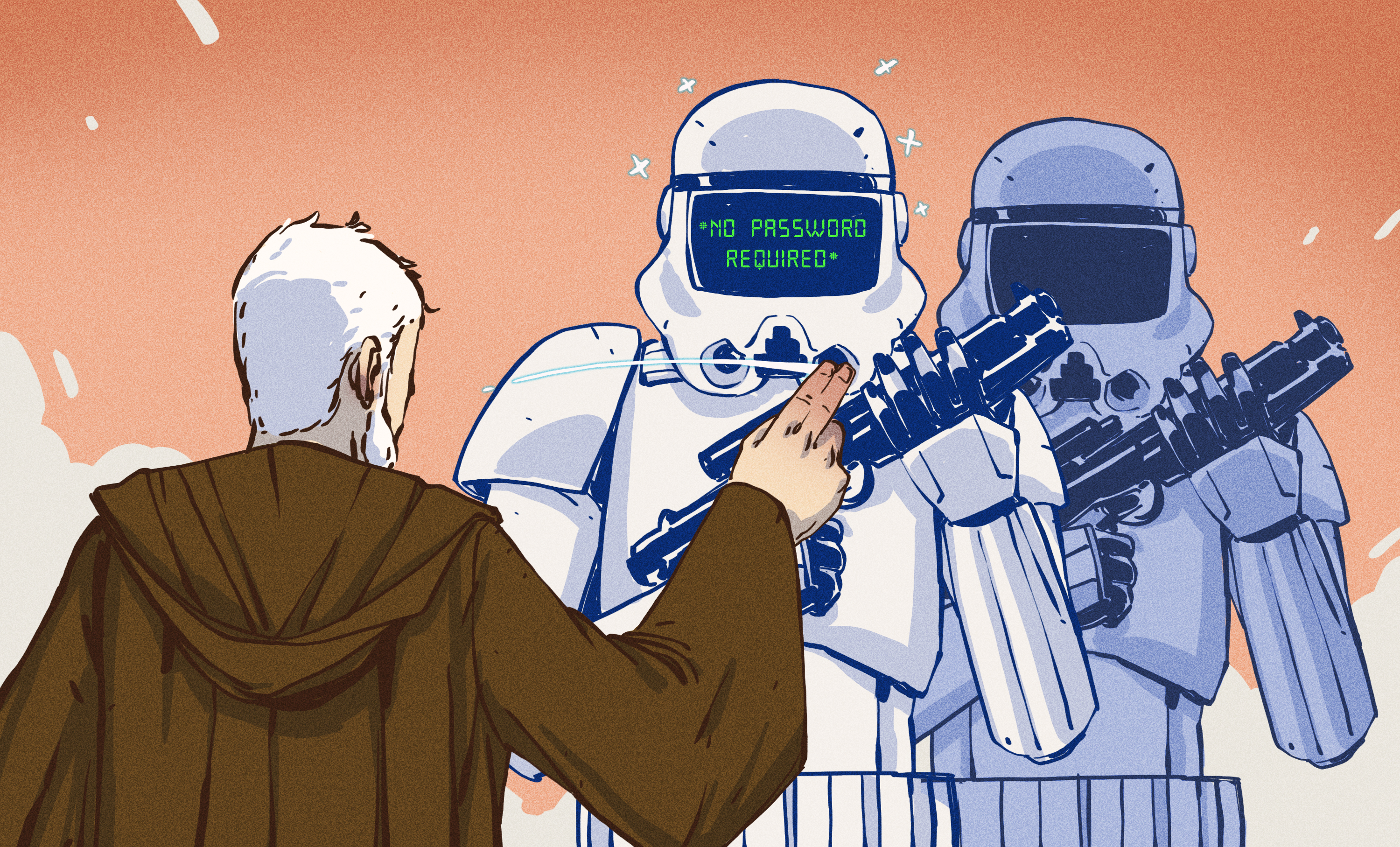
Passwords have had a suspiciously long career for something everyone complains about daily. They are forgotten, reused, guessed, leaked, phished, pasted into fake login pages, stored in sticky notes, and occasionally named after a pet with the emotional complexity of “Fluffy123!” For decades, the World Wide Web has depended on shared secrets that are not very secret and are often shared more generously than office birthday cake.
FIDO2 is one of the strongest attempts to finally retire that old routine. Built around open standards from the FIDO Alliance and the World Wide Web Consortium, FIDO2 enables password-free authentication using public-key cryptography, browser APIs, platform authenticators, security keys, and passkeys. In plain American English: it lets websites confirm that you are you without asking you to type a reusable password into a box that attackers desperately want to copy.
The dream is simple: sign in with a fingerprint, face scan, device PIN, hardware security key, or synced passkey, while the website receives proof of identity instead of a stealable password. The result is faster logins, fewer reset headaches, stronger phishing resistance, and a web that feels a little less like guarding a castle with a cardboard drawbridge.
What Is FIDO2?
FIDO2 is an authentication standard designed to make secure, passwordless sign-ins work across websites, browsers, operating systems, and devices. It is not a single gadget or one company’s login trick. It is an ecosystem built from two major parts: WebAuthn and CTAP.
WebAuthn: The Browser Side Of The Magic
WebAuthn, short for Web Authentication, is a web standard that lets browsers and applications create and use public-key credentials. When a website supports WebAuthn, it can ask the browser to register or authenticate a user through a compatible authenticator. That authenticator might be built into a laptop, phone, tablet, browser profile, password manager, or hardware security key.
Instead of storing a password, the website stores a public key. The user’s device keeps the private key protected. During login, the server sends a challenge, the authenticator signs it, and the server verifies the signature. No password crosses the network. No shared secret sits waiting in a database like a piñata full of breach notifications.
CTAP: The Device Communication Layer
CTAP, or Client to Authenticator Protocol, lets browsers and operating systems communicate with external authenticators such as FIDO2 security keys over USB, NFC, or Bluetooth. This is how a physical key can become part of the login flow. Plug it in, tap it, unlock it with a PIN or biometric check, and the website gets cryptographic proof that the right authenticator is present.
Together, WebAuthn and CTAP make FIDO2 practical. WebAuthn handles the website and browser conversation. CTAP helps devices and security keys join the party. Nobody has to memorize “CorrectHorseBatteryStapleButWithMoreRegret2026.”
How FIDO2 Authentication Works
FIDO2 uses asymmetric cryptography, also called public-key cryptography. That sounds like a phrase that wandered out of a cybersecurity conference wearing a lanyard, but the basic idea is friendly enough.
Step 1: Registration
When a user creates a FIDO2 credential, the authenticator generates a key pair. The private key stays protected on the authenticator. The public key is sent to the website and linked to the user’s account. The website may also store information such as the credential ID and relying party ID, which helps ensure the credential is scoped to the correct domain.
That domain binding matters. A passkey created for a legitimate banking website should not work on a fake look-alike domain. This is one reason FIDO2 is considered phishing-resistant. A fake site can trick a human eye, but it should not be able to trick the cryptographic relationship between the credential and the real website origin.
Step 2: Authentication
During login, the website sends a random challenge to the browser. The browser asks the authenticator to sign that challenge. Before signing, the authenticator requires a user verification or user presence action, such as touching a security key, entering a PIN, scanning a fingerprint, using face recognition, or unlocking the device.
The authenticator signs the challenge with the private key. The website verifies the signature with the public key it already has. If the signature checks out, the user is authenticated. The private key never leaves the authenticator, and the website never receives a reusable password.
Step 3: The User Gets In Faster
From the user’s perspective, the whole process may feel like magic: click sign in, use Face ID, fingerprint, Windows Hello, a phone unlock, or a hardware key, and continue. Under the hood, it is cryptographic proof. On the surface, it is the rare security feature that does not feel like being punished for owning an account.
FIDO2, Passkeys, And Passwordless Authentication
Passkeys are one of the most visible ways people experience FIDO2 today. A passkey is a FIDO credential that can replace a password. It may be stored on a device, synced through a trusted platform account, managed by a password manager, or bound to a physical security key.
Device-bound passkeys stay on a specific authenticator, such as a hardware key or a laptop’s secure hardware. Synced passkeys can move across a user’s devices through systems such as iCloud Keychain, Google Password Manager, Microsoft account services, or compatible password managers. Each approach has trade-offs.
Synced passkeys improve convenience because users are less likely to get locked out when they replace a phone or laptop. Device-bound passkeys can be attractive for high-security environments because organizations may want stricter control over where credentials live. For ordinary consumer accounts, synced passkeys often deliver the “finally, this is easy” moment. For sensitive corporate systems, security teams may combine device-bound credentials, attestation, conditional access, and recovery policies.
Why Passwords Are The Problem FIDO2 Is Trying To Solve
Passwords fail because they ask humans to behave like computers and computers to trust humans who are tired, busy, and clicking through lunch. A strong password should be unique, long, random, and stored safely. A human brain generally prefers “same password but with an exclamation point,” which is not quite the same thing.
Attackers love passwords because they are portable. Once stolen, they can be replayed. Phishing emails, fake login pages, credential stuffing, malware, database breaches, and social engineering all feed on the same weakness: a password is a shared secret. If the user knows it and the server knows a version of it, someone else may eventually learn it too.
Traditional multi-factor authentication improves the situation, but not all MFA is equal. SMS codes can be vulnerable to SIM swapping, interception, and social engineering. One-time passcodes can still be phished in real time. Push notifications can create fatigue, where users tap approve just to make the buzzing stop. FIDO2 changes the model by replacing shared secrets with cryptographic proof tied to the legitimate website.
The Main Benefits Of FIDO2
1. Strong Phishing Resistance
FIDO2 credentials are scoped to a relying party, which helps prevent them from being used on fraudulent domains. If a criminal creates a fake login page, the authenticator should not produce a valid signature for the wrong origin. This is a major leap beyond passwords and many code-based MFA methods.
2. No Password Database To Steal
A website using FIDO2 stores public keys, not passwords. A stolen public key is not useful in the same way a stolen password hash can be. Attackers cannot simply replay a public key to log in. They would need access to the private key and the required user verification step.
3. Better User Experience
Passwordless authentication can be faster than typing a password, finding a phone, waiting for a text, copying six digits, and hoping the code does not expire while the browser quietly judges you. With passkeys, a login can take a tap, glance, fingerprint, or device unlock.
4. Reduced Help Desk Costs
Password resets are expensive in enterprise environments. Employees forget passwords, lock accounts, mistype credentials, and call support. FIDO2 does not eliminate all account recovery work, but it can reduce routine password reset volume and the security risks that come with emergency recovery workflows.
5. Support For Zero Trust Security
FIDO2 fits naturally into zero trust strategies because it strengthens identity verification. Organizations can combine passkeys or security keys with device posture checks, conditional access, risk scoring, and least-privilege access. Authentication becomes harder to phish and easier to evaluate in context.
Where FIDO2 Is Already Showing Up
FIDO2 and passkeys are no longer experimental toys hiding in a developer lab beside a half-eaten granola bar. Major platforms and browsers support them, including Chrome, Safari, Firefox, Edge, Android, iOS, macOS, and Windows. Large technology providers have integrated passkeys into consumer and enterprise sign-in flows.
Google promotes passkeys as a safer and easier alternative to passwords. Apple supports passkeys through iCloud Keychain and platform security features. Microsoft supports passkeys and FIDO2 security keys in Microsoft Entra ID and Windows sign-in scenarios. Hardware security key vendors such as Yubico provide FIDO2-compatible authenticators for both consumers and enterprises.
Financial services, healthcare systems, government agencies, cloud platforms, developer tools, and SaaS companies are all strong candidates for FIDO2 adoption. The more valuable the account, the more painful password compromise becomes. Administrator accounts, executive accounts, code repositories, payroll systems, email accounts, and customer portals are especially good places to begin.
FIDO2 For Businesses: A Practical Implementation Strategy
Rolling out FIDO2 is not just flipping a switch labeled “Make Hackers Sad.” Organizations need a thoughtful plan that balances security, usability, support, compliance, and recovery.
Start With High-Risk Users
Security teams often begin with administrators, executives, finance staff, developers, and employees who handle sensitive data. These accounts are attractive targets, so phishing-resistant authentication delivers immediate value.
Offer Multiple Authenticator Options
Some users may prefer platform authenticators such as Windows Hello, Touch ID, Face ID, or Android device unlock. Others may need hardware security keys. A flexible policy can support different roles while keeping authentication standards strong.
Design Account Recovery Carefully
Passwordless does not mean recovery-less. People lose phones. Laptops break. Security keys go through laundry with tragic enthusiasm. Recovery flows must be secure enough to prevent attackers from bypassing FIDO2, but usable enough that legitimate users are not locked out forever.
Train Users With Plain Language
Do not introduce FIDO2 by saying, “Please enroll your asymmetric cryptographic credential.” That sentence needs a nap. Tell users what matters: they will sign in with their device, fingerprint, face, PIN, or security key; they should not approve prompts they did not start; and they should keep backup methods current.
Measure The Rollout
Track registration success, login success, recovery requests, help desk tickets, phishing reports, and user feedback. FIDO2 should improve both security and productivity. If users are confused, the problem may be the rollout, not the standard.
Challenges And Limitations
FIDO2 is powerful, but it is not fairy dust. Adoption still depends on website support, device compatibility, user education, recovery planning, and cross-platform experience. Some services support passkeys beautifully. Others support them in a way that makes users wonder whether the login page was assembled during a fire drill.
Synced passkeys raise policy questions for enterprises. Convenience is excellent, but some organizations need stronger assurances about device provenance, attestation, or whether credentials can leave managed hardware. Hardware keys solve some of those concerns, but they introduce inventory, distribution, replacement, and user training needs.
Another challenge is terminology. Users hear FIDO2, WebAuthn, passkeys, security keys, platform authenticators, roaming authenticators, passwordless MFA, and phishing-resistant authentication. That is a lot of vocabulary for something that should feel simple. The industry still needs clearer messaging.
Is FIDO2 The End Of Passwords?
FIDO2 is not going to erase every password overnight. The web is too large, too old, and too weird for instant transformation. Some systems will keep passwords for years because of legacy architecture, compliance concerns, development priorities, or plain old institutional inertia. Passwords are like glitter: once introduced, they appear in places no one can explain.
Still, FIDO2 represents one of the most credible paths toward a password-free web. It is standardized, widely supported, phishing-resistant, and increasingly familiar to users through passkeys. Most importantly, it improves security without demanding that everyone become a miniature cryptographer before breakfast.
The future may not be completely passwordless, but it can be password-light. The best version of the web is one where passwords are not the default front door, phishing is much harder, and users are not blamed for failing to memorize 47 unique secrets while also remembering where they parked.
Real-World Experiences With FIDO2 And Password-Free Authentication
The first experience many people have with FIDO2 is not dramatic. No thunderclap. No cinematic hacker being thrown backward from a keyboard. Instead, it is usually a small moment: a website asks to create a passkey, the user confirms with a fingerprint or face scan, and the next login happens so quickly that the user wonders whether something was skipped. That quietness is the point. The best authentication experience is often the one that does not interrupt the day.
In personal use, passkeys feel especially refreshing on accounts that people open often, such as email, cloud storage, shopping, banking, and developer tools. Typing a password on a phone has never been humanity’s finest ergonomic achievement. With a passkey, the same login can become a tap and a glance. The improvement is not only speed; it is emotional. There is less password anxiety, less guessing which variation was used, and fewer visits to the “forgot password” page, also known as the waiting room of digital shame.
In workplace rollouts, the experience is more complex but often more rewarding. Employees may initially worry that passwordless authentication is another IT project arriving with a 37-slide training deck and a cheerful deadline. The rollout usually goes better when teams begin with simple explanations and guided enrollment. A good message is: “You will sign in with your device or security key instead of typing a password.” A bad message is: “Please bind a discoverable credential to the relying party using an approved authenticator.” One of these creates adoption. The other creates coffee breaks.
Administrators often appreciate FIDO2 after seeing phishing tests fail in a good way. A fake login page may still fool a busy employee visually, but the passkey will not authenticate to the wrong origin. That difference changes the security conversation. Instead of relying only on perfect human suspicion, the system adds technical resistance. Humans are still important, but they no longer have to be the only firewall between a convincing fake email and a compromised account.
The roughest experiences usually involve recovery and device changes. Someone gets a new phone. Someone loses a hardware key. Someone uses a personal laptop on Monday, a managed workstation on Tuesday, and a tablet at an airport on Wednesday. These moments reveal whether an organization planned properly. Successful FIDO2 adoption includes backup authenticators, clear recovery steps, and policies that do not accidentally turn strong security into a lockout festival.
The best long-term experience is a blend of invisible convenience and visible trust. Users sign in faster. Security teams reduce exposure to credential theft. Developers work with standards rather than inventing another fragile login ritual. Executives like fewer breach risks. Help desks like fewer reset tickets. Even users who do not care about authentication standards begin to care when they realize they are no longer wrestling with passwords before every important task.
FIDO2 feels like the web growing up. It does not make security perfect, and it does not remove the need for good design, monitoring, recovery, and user education. But it does move authentication away from “prove yourself by remembering a secret attackers can steal” and toward “prove yourself with a protected cryptographic credential tied to the real service.” That is not just a technical upgrade. It is a better deal for everyone who uses the web, which is to say: nearly everyone with a screen, a browser, and a password they are tired of resetting.
Conclusion
FIDO2 turns password-free authentication from a long-running security fantasy into a practical web standard. By combining WebAuthn, CTAP, passkeys, platform authenticators, and hardware security keys, it gives websites and organizations a way to authenticate users without depending on reusable passwords. The biggest advantages are clear: phishing resistance, reduced credential theft, faster sign-ins, fewer password resets, and better support for modern zero trust identity strategies.
The transition will take time. Websites must implement support, businesses must plan recovery, and users must learn new habits. But the direction is obvious. Passwords are no longer the best default for the modern web. FIDO2 offers a safer, smoother, and more realistic path toward authentication that protects people without making them solve a memory puzzle every morning.