Because sometimes your ears are busy… and your screen needs to pick up the slack.
Getting “mysteriously” eliminated in Fortnite usually isn’t mysterious at all.
It’s footsteps. It’s always footsteps. Someone sprinted up behind you like a coupon-hunting
raccoon and you never heard a thingmaybe because your headset died, your teammates are yelling
“ONE HP!” (they’re lying), or the real world is louder than your in-game audio.
The good news: Fortnite has a built-in feature that lets you see footsteps (and
other key sounds) on-screen. It’s called Visualize Sound Effects, and once you
learn it, you’ll wonder how you ever survived without it.
What Is “Visualize Sound Effects” in Fortnite?
Visualize Sound Effects is an accessibility-focused feature that adds a radial visual
indicator around your crosshair. When important sounds happen nearbylike enemy
footsteps, gunfire, or a chest humming away like it pays rentFortnite displays an icon and a
directional cue so you can tell what the sound is and where
it’s coming from.
Think of it as subtitles for chaos. Not every sound gets a spotlight (thank goodness), but the
ones that help you survive typically do.
Sounds commonly represented
- Footsteps (your #1 “surprise” eliminator)
- Gunfire & explosions (so you can rotate… or third-party responsibly)
- Chests (loot is life)
- Vehicles (because nothing says “stealth” like an engine)
- Other nearby activity like wildlife or gliding/parachuting indicators (varies by mode/season)
Is Visualize Sound Effects Already On?
Possibly. In mid-2024, Fortnite began enabling Visualize Sound Effects by default
for everyone, which means many players already have it on without realizing it.
Why this matters: if you’re searching “how to see footsteps in Fortnite,” the real answer might
be “you already canyour eyes just haven’t been trained to notice the icons yet.”
Quick check
- Jump into a match.
- Stand still in a quiet spot.
- If someone runs nearby and you see a visual cue around your crosshair, it’s working.
If nothing shows (and you’re pretty sure the island isn’t suddenly a monastery), keep reading.
How to Turn On Footsteps in Fortnite (Enable Visualize Sound Effects)
The exact button labels can shift slightly between platforms and UI updates, but the path is
consistently the same: Settings → Audio → Visualize Sound Effects → On.
Universal steps (works for most platforms)
- Launch Fortnite and stay in the Lobby (or open the menu in-game).
- Open Settings (look for the gear icon).
- Go to the Audio tab (speaker icon).
- Find Visualize Sound Effects and toggle it On.
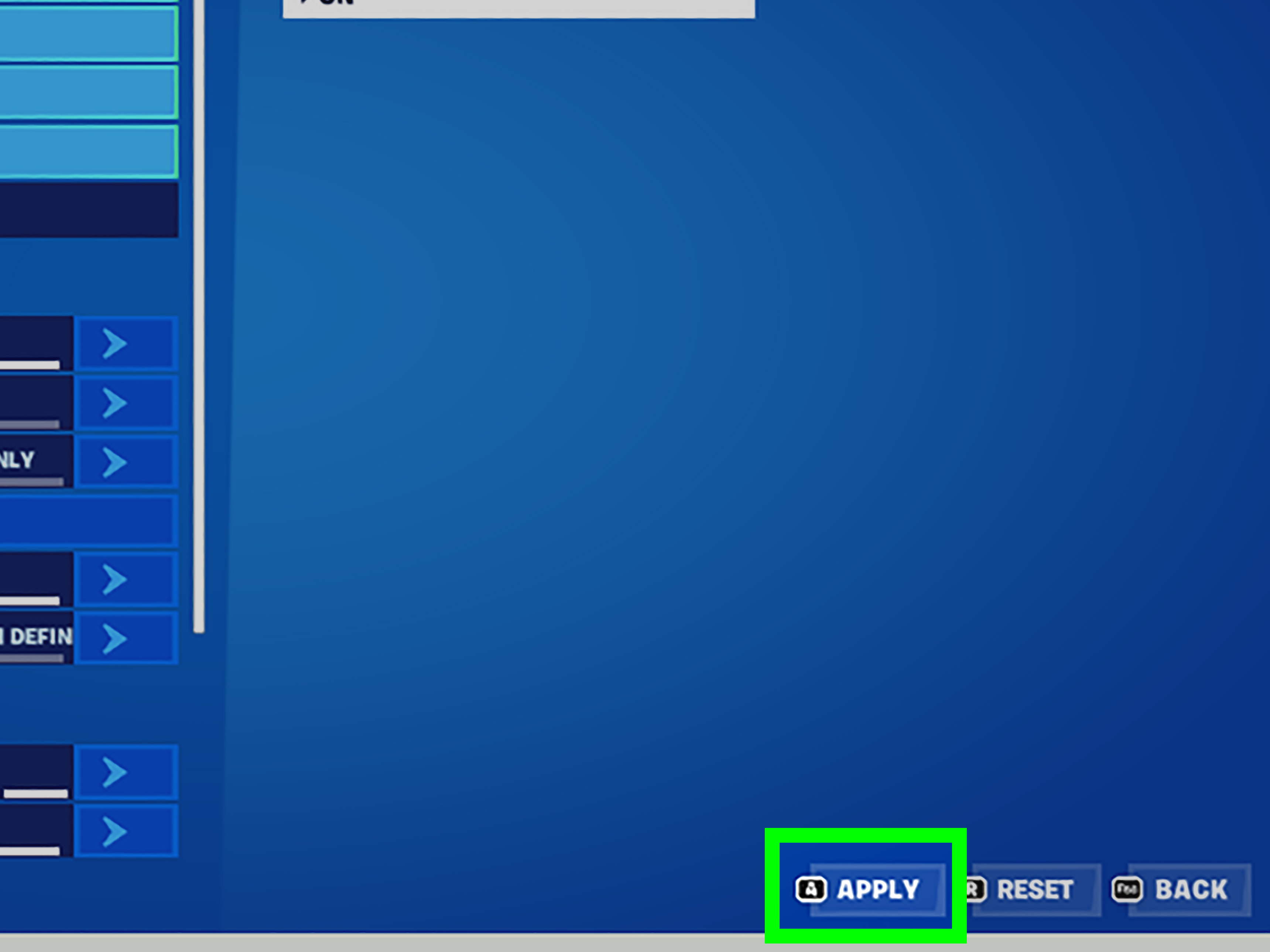
- Hit Apply (don’t skip this, unless you enjoy disappointment).
Platform quick notes
- PC: Press Esc to open the menu, then Settings → Audio.
- PlayStation: Use the Options button, then Settings → Audio.
- Xbox: Use the Menu button, then Settings → Audio.
- Nintendo Switch: Open the menu (+ or equivalent), then Settings → Audio.
- Mobile: Tap the menu/settings icon, then Audio → Visualize Sound Effects.
After enabling it, hop into a match and listen with your eyes: you should see a circular set of
indicators near the center of your screen whenever key sounds happen around you.
How to Read Footstep Indicators (So You Don’t Panic-Build a Birdhouse)
Visualize Sound Effects doesn’t just scream “FOOTSTEPS!” It gives you structured clues:
direction, type of sound, and often a sense of
proximity through intensity, animation, or size changes.
1) Direction: where are the footsteps?
The indicator appears around your crosshair like a clock face. If footsteps show on the right
side of the ring, the enemy is to your right. If it’s behind you… yes, it will politely tell you
that you are currently being hunted.
2) Type: footsteps vs. “something else is happening”
Fortnite uses icons to differentiate sound categories. Footsteps have their own
symbol, and other sounds (chests, vehicles, gunfire) use distinct icons. In busy moments, icons
can stack rather than overlap, which helps you avoid a visual soup.
3) Distance: how close are they?
Visual cues typically become more noticeable as you get closer to the source. Some indicators
may appear brighter, larger, or more animated the nearer the sound is. This is especially useful
for chests (which can pulse) and for movement sounds that shift as players reposition.
Important limitation: vertical audio is still tricky
The visualization is fantastic at telling you left/right/front/behind. But when
someone is directly above or below you in a multi-floor building, you may still need to confirm
with camera checks, edits, and smart positioning. Use the visuals as a warning system, not a
GPS with floor numbers.
Pro Tips for Using Visual Footsteps (Without Becoming “That Guy”)
Use it for decision-making, not decoration
The biggest advantage isn’t “seeing footsteps.” It’s reacting faster.
Footsteps on your left? You can pre-aim a peek. Gunfire behind you? Rotate early instead of
getting pinched. A chest icon nearby? Loot efficiently without doing a full home inspection of
every room.
Pair visuals with good habits
- Stop sprinting when you don’t need to. Sprinting announces you loudlyyes, visually too.
- Pre-aim corners as soon as footsteps appear, especially in tight interiors.
- Use height smartly. If footsteps are close but you can’t see the player, take the safer angle (high ground, right-hand peek).
- Don’t tunnel on the icons. They’re support infoyour crosshair still needs to live on likely enemy paths.
Reduce clutter (so the UI doesn’t feel like a neon bracelet store)
If you find the visuals distracting, give yourself a few matches to adapt. Most players report
that after an adjustment period, the cues fade into the background until they matterkind of
like the hum of your refrigerator… except this refrigerator is trying to win a battle royale.
Troubleshooting: If Footsteps Aren’t Showing
If you’ve enabled Visualize Sound Effects and still don’t see footsteps, try this quick checklist:
- Make sure you hit Apply. Fortnite sometimes requires confirming changes.
- Toggle it Off → Apply → On → Apply. Yes, the classic “turn it off and on again.” It works more often than it should.
- Restart Fortnite. If you changed multiple settings, a restart can help the UI fully reload.
- Test in a real match. Some sounds are situational; go somewhere populated and listen with your eyes.
- Check you’re not confusing cues. In a loud fight, gunfire/vehicles can dominate the ring; footsteps may appear only when close.
If your game seems to be missing both the sound and the visual cue for footsteps, that
could be a bug for a specific patch. In that case, a restart and verifying settings are your
best first moves.
Should You Use Visualize Sound Effects?
For most players, yesespecially if you play without headphones, share a room with noisy humans
(or noisy pets), or you want extra clarity in late-game chaos. It’s also an important accessibility
feature for players who are deaf or hard of hearing.
Pros
- Better awareness of enemy movement and nearby threats
- Helps you loot faster by pointing out chest sounds
- Useful in hectic fights where audio is overwhelmed
Cons
- More UI elements (can feel busy at first)
- Not perfect for vertical positioning (up/down can still require checks)
Bottom line: if you want to see footsteps in Fortnite and stop getting surprise-jumped,
Visualize Sound Effects is one of the simplest “why didn’t I do this sooner?” settings in the game.
of Real Experiences Using Visual Footsteps in Fortnite
The first time you turn on Visualize Sound Effects, it can feel like Fortnite strapped a tiny
carnival to your crosshair. Icons pop. Rings pulse. Something somewhere is always making noise
(including you). My honest experience: the first two matches are confusing, the next five are
enlightening, and by match ten you’ll start doing something dangeroustrusting your information.
The biggest “aha” moment is realizing how often you were previously guessing. Before visualized
audio, you might hear footsteps and think, “They’re close… probably left… maybe?” With visuals
on, you stop guessing and start planning. When the footstep indicator flickers to your back-right,
you can choose to hold the angle, reposition to a right-hand peek, or disengage. That’s not just
a small convenience; that’s winning fights you used to lose by milliseconds.
Indoors is where the feature feels like it’s cheatingexcept it’s not. In a tight POI with three
floors, echo-y audio, and teammates loudly announcing they “cracked one,” the visual wheel becomes
your calm friend who doesn’t panic. You’ll notice patterns: footsteps that circle you often mean
an enemy is trying to take a safer stair route; footsteps that suddenly stop might signal a crouch,
a pre-aim, or an edit play. You start checking common entry points before the push arrives, and you
build defensively instead of randomly. Less panic. More purpose.
It also changes how you rotate in mid-game. You’ll see distant gunfire indicators and realize you’re
walking toward a blender. Sometimes that’s great (hello, third-party). Sometimes it’s terrible
(hello, getting sandwiched). Visual cues help you decide earlierrotate wide, take high ground,
or wait until the fight resolves. That early decision-making reduces the “I got beamed from nowhere”
feeling, because it wasn’t nowhere; it was the direction you didn’t check.
There’s a subtle skill to not becoming icon-obsessed. Early on, you’ll stare at the ring and forget
the actual game is still happening. The best habit I built was treating visualized audio like a
smoke alarm: you don’t stare at it; you respond to it. Cue appears → quick scan → commit to a plan.
Once you do that, the UI stops feeling noisy and starts feeling like a quietly competent teammate.
Finally, the most practical experience-based tip: use the feature to improve your fundamentals, not
replace them. Visual footsteps will tell you where action is, but your crosshair discipline, builds,
edits, and positioning still decide the fight. If you combine all that, you’ll not only “see footsteps”
you’ll start predicting them. And that’s when Fortnite gets really fun.