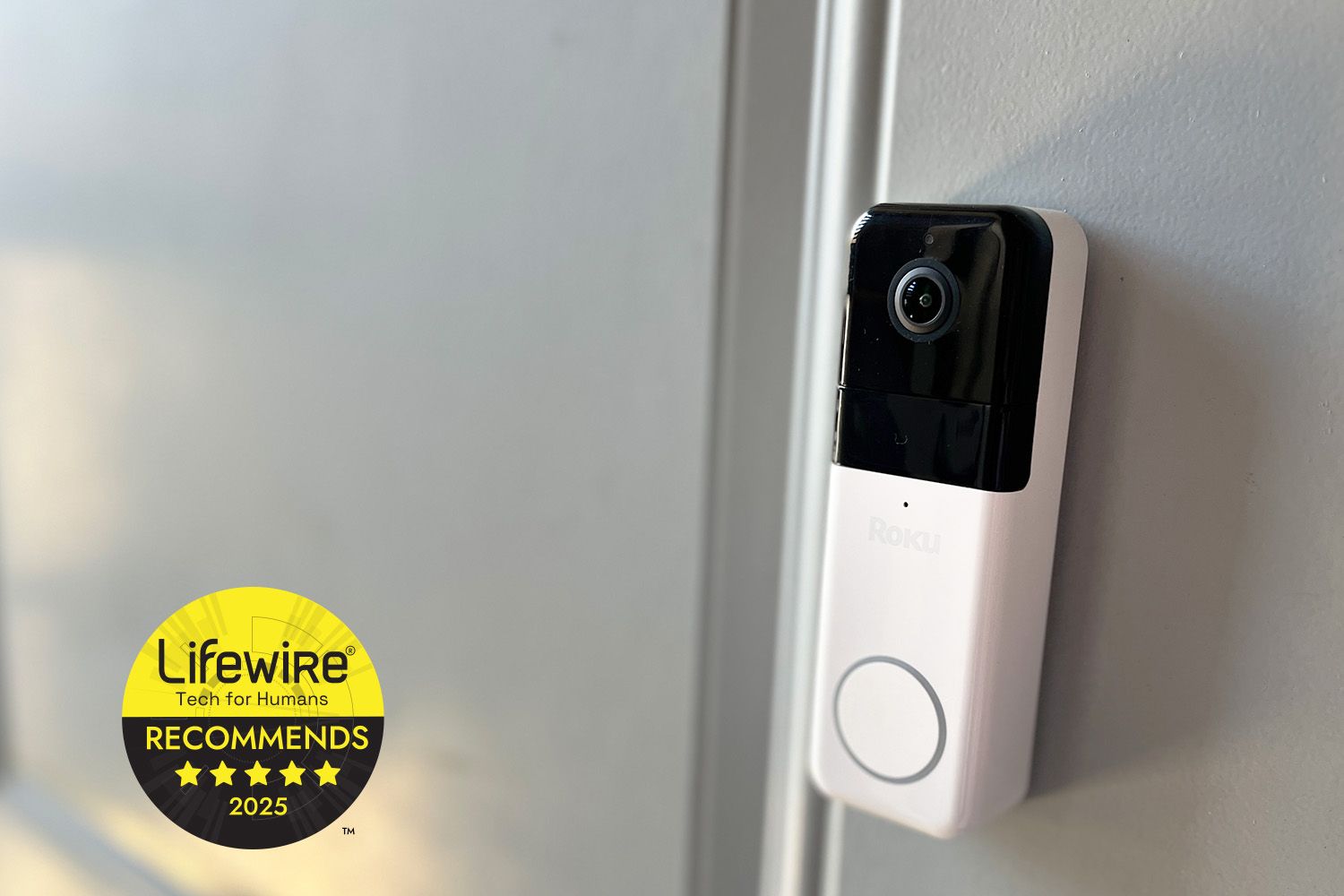
If your front door could talk, it would probably say: “Stop buying random gadgets that need six apps, two subscriptions, and a minor in electrical engineering.” The Roku Wire-Free Video Doorbell & Chime is Roku’s pitch for doing the oppositesimple setup, clear video, and the kind of TV integration that makes sense if you already live in Roku-land (you know: remote in hand, snacks within reach, responsibilities on mute).
This review breaks down what the wire-free model does well, where it feels like “almost, but not quite,” and who should actually put it on their porch. Expect real talk about battery life, subscriptions, alerts, and whether “seamless Roku smarts” is marketing fluffor surprisingly accurate.
Quick verdict
The Roku Wire-Free Doorbell is an easy-to-install, sharp-looking, 1440p doorbell camera with a head-to-toe 1:1 view that’s especially great for packages. The best part is how naturally it fits into a Roku household: alerts can show up on your Roku TV or streaming player, and you can pull up the feed without turning “Where’s my phone?” into a cardio routine.
The biggest trade-off is storage: there’s no local recording, and cloud clips + smart detections are subscription features. If you want a doorbell that records for free or saves locally, you’ll feel the paywall. But if you value a smooth Roku-style experience and don’t mind paying for cloud history, this one is a strong valueespecially when discounted.
What it is (and what’s included)
The Roku Wire-Free Video Doorbell ships as a bundle with a plug-in chime and mounting hardware. It’s designed to work wire-free using internal rechargeable batteries, but it can also be connected to existing doorbell wiring for continuous power if your home already has it.
What comes in the box
- Roku Wire-Free Video Doorbell
- Plug-in Roku Chime
- USB charging cable
- Mounting plates, screws/anchors, wire caps, extension wires
- Corner kit (for angled mounting)
- Tools (including a T8 screwdriver)
- Adhesive strip (for no-drill mounting options)
Translation: Roku wants you to install it without a hardware-store pilgrimageand mostly succeeds.
Key specs that actually matter at the front door
Specs are only useful if they map to real-life questions like “Can I see the package?” and “Will I recognize a face or just a floating hoodie?” Here’s what stands out:
- Video: 1440p HD
- View: 150° vertical + 150° horizontal
- Aspect ratio: 1:1 “peephole” view (great for head-to-toe coverage)
- Night vision: infrared night vision; listings also emphasize enhanced low-light/color night viewing
- Audio: simultaneous two-way talk
- Weather rating: IP65
- Wi-Fi: dual-band (2.4 GHz and 5 GHz)
- Battery estimate: about 3–6 months depending on use
- Storage: no local storage; cloud recording requires a subscription
That 1:1 view is the quiet hero here. A lot of doorbells do wide rectangles that catch driveways, sidewalks, and the neighbor’s “private” argument about recycling binswhile missing the box at your feet. Roku’s square-ish framing is built to catch the full doorway scene, including the package drop zone.
Setup and installation: renter-friendly, commitment-optional
The Roku Wire-Free Doorbell is designed for two common realities:
- “I don’t have doorbell wiring.” Greatmount it, charge it, done.
- “I have wiring, but I don’t trust it.” Also fineyou can still go battery-first and wire later.
For most people, setup follows a simple path: install the Roku Smart Home app, scan/add the device, connect it to Wi-Fi, then mount it. The included wedge/corner kit helps if your doorbell needs to aim away from a wall or pillar so you don’t get a thrilling livestream of beige stucco.
One underrated win: 5 GHz Wi-Fi support
Many budget doorbells limit you to 2.4 GHz. Roku’s wire-free model supports dual-band Wi-Fi, which can mean faster notifications and fewer hiccups if your network is busy (hello, three TVs, two game consoles, and a fridge that “needs updates”).
Video quality: sharp, tall, and made for package proof
In good daylight, 1440p is the sweet spot where you can typically read facial expressions and see details that 1080p sometimes smudgesespecially at the edges. The bigger story, though, is framing: the 150° vertical field of view combined with a 1:1 aspect ratio is tailored for porches. You’re more likely to catch:
- the full “head-to-toe” visitor view
- packages placed close to the door
- kids coming home (and pretending they didn’t hear you call)
- pets doing whatever pets do when they think no one’s watching
At night, the doorbell uses infrared night vision, and retailer listings highlight boosted low-light performance and color night viewing. In practical terms: you should expect clearer motion scenes than ultra-cheap models, but lighting still matters. A porch light (even a modest one) can make night clips look dramatically betterregardless of brand.
Motion alerts: useful… once you tame them
Out of the box, most doorbells are a little overprotective. Leaves move? Alert. A car exists? Alert. A moth commits a drive-by? Alert. The Roku Smart Home app lets you adjust detection zones and notification preferences so you get fewer “Breaking news: wind happened” interruptions.
If you pay for Roku’s subscription, you unlock smart detection that can classify alerts (like person/package/pet/vehicle) and let you filter events by type. That’s not just a fancy checkbox. It’s the difference between:
- Helpful: “Person detected at the door.”
- Not helpful: “Motion detected” (because reality continues to move).
Seamless Roku smarts: the TV integration is the whole point
Here’s the part that feels most “Roku” in the best way: the doorbell isn’t trying to be the center of your universe. It’s trying to show up where you already areon your TV.
Roku markets the ability to receive alerts on your Roku TV or streaming player and pull up the camera feed using your Roku remote or voice. If you’ve ever missed a doorbell because your phone was in another room (or under a pillow, or inside a couch cushion dimension), this is genuinely convenient.
Where this helps in real life
- Delivery timing: You see the drop, you grab the box before it becomes neighborhood lore.
- Kids at the door: You can check who’s there without turning it into a full household meeting.
- Quiet mode: TV alert pops up, you answer in-app, and the dog doesn’t host a barking TED Talk.
Roku has also been expanding how cameras appear on Roku TVslike rotating views and broader camera notificationsleaning into the idea that your TV can function as a mini home-monitoring hub instead of “yet another device.”
The subscription question: what’s free, what’s not
Let’s be blunt: your tolerance for subscriptions determines whether you’ll love this doorbell or resent it like an extra streaming service you forgot to cancel.
Without a subscription, you still get the basics
- live streaming in the Roku Smart Home app
- motion alerts and sound alerts
- two-way talk
With a subscription, it becomes a “real” security camera
- Cloud recording: video clips stored for up to 14 days
- Smart detection: person/package/pet/vehicle detection
- Event filtering: view only the types you care about
- No delay between events: Roku lists a 5-minute delay between events without a subscription
Roku’s pricing structure is refreshingly straightforward: a per-camera plan and an “all cameras” plan, available monthly or yearly. Roku also frequently bundles a free trial or a promotional window (like a few months free) when you sign up after purchase.
My advice: If you’re allergic to subscriptions, decide that nowbefore you mount the doorbell and emotionally bond with the idea of rewinding porch events. If you’re okay paying for cloud history, the experience is much closer to what people imagine a smart doorbell should be.
Battery life and charging: the reality behind “wire-free”
Roku estimates roughly 3–6 months of battery life, depending on usage. That range makes sense because “usage” is everything. A quiet cul-de-sac with occasional visitors? Great. A busy street with constant motion? Your battery will be working overtime.
One key detail: the batteries are non-removable. So when it’s time to charge, you’re taking the whole unit off the mount and charging it via USB. This isn’t unique to Roku, but it’s worth knowing because it creates a simple question: what happens at the door while it’s charging?
If you can wire it to existing doorbell power, you may prefer that long-term for convenienceespecially if your porch gets frequent traffic. But for renters and anyone without wiring, the wire-free approach is still practical as long as you’re okay with occasional charging downtime.
Chime performance: simple, loud enough, pleasantly un-annoying
The included plug-in chime is the “make this a normal doorbell again” piece. Roku includes multiple chime tones (20) and supports changing tones and adjusting volume in the app. This matters more than you’d think, because the “default chime sound” is often the reason families accidentally start a feud.
In day-to-day use, a good chime does three things:
- it’s loud enough to hear in another room
- it’s not loud enough to scare the soul out of you
- it doesn’t sound like a smoke alarm trying to become a musician
Roku’s chime sticks to the basics, and honestly, that’s a compliment.
App experience: “Roku simple,” with a Wyze-shaped silhouette
The Roku Smart Home ecosystem was developed in partnership with Wyze, and you can feel that DNA in the app and feature set. That’s not a bad thingWyze is known for packing features into affordable gear. Roku’s advantage is making the experience feel more cohesive for Roku households, especially with TV viewing and Roku voice control support.
The app also emphasizes customizable notifications and detection zones, and the subscription tier adds smart detection and event filteringexactly the stuff that makes a doorbell feel less like a noisy motion sensor and more like a helpful assistant.
Privacy and reliability: what to consider before you mount it
Any cloud-connected doorbell raises the same baseline considerations:
- Where is video stored? (Here, cloud clips require a Roku Smart Home subscription.)
- Who can access it? (Use strong passwords, enable account protections, and keep firmware/app updated.)
- What happens if Wi-Fi drops? (No Wi-Fi, no remote viewing; this is true across the category.)
If local storage is a must-have for you, Roku’s “no local storage” approach will be a dealbreaker. But if you’re comfortable with cloud clipsand you want an easy, TV-friendly setupthe trade-off is consistent with many mainstream video doorbells.
Pricing and value: best when it’s on sale
Roku lists the Wire-Free Video Doorbell & Chime at a higher regular price but frequently discounts it (sometimes dramatically). When the price drops, it becomes one of the more compelling “big brand ecosystem” buysespecially for Roku users who value the TV integration.
In other words: at full price, it competes with a crowded field. On sale, it becomes the doorbell that makes you say, “Fine. I’ll stop pretending I don’t want to see who’s at the door.”
Who should buy the Roku Wire-Free Doorbell
This is a great fit if you:
- already use a Roku TV or Roku streaming player and want doorbell alerts on-screen
- want an easy, wire-free install (especially renters)
- care about seeing packages clearly (1:1 view helps a lot)
- don’t mind paying for cloud clips and smart detection
You may want to skip it if you:
- require local storage or free recorded clips without a subscription
- don’t want to deal with charging downtime (and can’t wire it)
- hate managing smart-home notifications and refuse to adjust zones (respectfully: the wind will win)
Final thoughts: “seamless Roku smarts” is mostly true
The Roku Wire-Free Video Doorbell gets the core stuff right: sharp video, a porch-friendly view, straightforward setup, and a Roku-first experience that feels genuinely convenientespecially when alerts land on the TV you’re already watching.
The main caveat isn’t performance; it’s the business model. Without a subscription, it’s a solid live-view doorbell with alerts. With a subscription, it becomes a far more complete security product with cloud clips, smart detections, and faster event handling.
If you’re already invested in Roku, this is one of the most natural ways to add front-door monitoring without turning your home into an app jungle. Just be honest about whether you want recordingsand budget accordingly.
Experience add-on: What living with the Roku Wire-Free Doorbell feels like (about )
Let’s talk about the part reviews don’t always capture: the daily rhythm. Not “spec sheet life,” but actual human lifewhere you’re balancing work, school pickups, deliveries, and the mysterious disappearance of your porch packages into the Bermuda Triangle of “It says delivered.”
Day 1: Setup is the first vibe check. The doorbell doesn’t require you to schedule a visit from a wizard or open your walls like a renovation show. You mount it, connect it in the app, and suddenly you have a live view of your front door. The first time you get a motion alert, you’ll probably do what everyone does: tap it immediately, even though it’s just you coming back with groceries. Congratulationsyou have officially become “the security department.”
Day 2: The 1:1 head-to-toe view starts paying off. A delivery arrives, and instead of seeing a chest and some hands floating in space, you see the whole drop: the person, the package, and exactly where it lands. This is the part that feels oddly satisfying, like watching a tiny documentary called The Journey of Your Stuff. If you’re a “grab it quick” person, the speed of alerts matters, and the doorbell’s dual-band Wi-Fi capability can help keep notifications snappy on a crowded home network.
Day 3: You realize motion detection is both a gift and a prank. The doorbell is doing its job, but your front yard is also doing its jobmoving trees, casting shadows, hosting squirrels with big dreams. This is when you tweak detection zones. It’s a small investment of time that pays you back in sanity. Once dialed in, alerts feel more meaningful, and you stop checking your phone like it owes you money.
Day 4: The Roku ecosystem flex happens. You’re watching TV and an alert pops upsomeone’s at the door. You don’t need to scramble for your phone; you can pull up the camera feed right there. It’s one of those features that sounds lazy until you try it, and then you’re like, “Wait… why doesn’t everything work like this?” You can decide to answer, ignore, or do the classic two-way audio line: “Hi, can I help you?” in the same tone you use when your friend tries to borrow your last french fry.
Day 5–7: Battery life becomes the long-game question. In a calmer area, you stop thinking about it. In a high-traffic area, you start to understand what “varies with usage” really means. The moment you plan your first recharge, you’ll do the mental math: “Okay, I’ll charge it during dinner, because that’s when nobody comes… right?” And yes, that is exactly when someone will come. That’s life. If wiring is available, this is where wired power starts to look appealingless maintenance, fewer gaps.
Overall, the experience is less about feeling like you installed a “security system” and more about feeling like your front door joined your Roku household: simple, practical, and easy to check from the couch. If that’s the lifestyle you want, it fits. If you want totally free recordings forever, you’ll want a different doorbell. But for many homes, this is a genuinely comfortable upgradeone you notice most when you don’t have to think about it.