Confession: scammers don’t need to “hack” you the Hollywood way. They just need you to panic-click a link while you’re half-awake, one hand on coffee, the other hand trying to remember your own phone number. That’s why a good scam detector isn’t an appit’s a simple routine you can run in your head in under a minute.
This guide gives you a practical “Scam Detector” checklist for spotting scam texts (smishing) and scam emails (phishing), plus real examples and what to do if you already interacted. It’s written for real life: messy inboxes, busy mornings, and the occasional “Wait… did I order that?” moment.
Why Scam Texts and Emails Work (Even on Smart People)
Scams succeed because they target human reflexes, not intelligence. Most messages are built on the same social-engineering ingredients:
- Urgency: “Your account will be closed in 30 minutes.”
- Authority: “IRS,” “bank security,” “CEO,” “delivery service,” “tech support.”
- Emotion: fear (fraud alert), excitement (prize), embarrassment (private photos), compassion (relative in trouble).
- Friction removal: one tap, one link, one “confirm,” one “verify.”
Your job isn’t to become a cybersecurity wizard. Your job is to slow the reflex long enough to verify the message using a method that scammers can’t control.
The Scam Detector Method: A 60-Second Checklist
Think of this as a pre-flight checklist for your thumb. If the message fails multiple steps, treat it like a scam until proven otherwise.
Step 1: Who Is This Really From?
Texts: A phone number can be spoofed. A familiar brand name can be faked. “USPS” can be… someone’s cousin with a keyboard.
Emails: Don’t trust the display name. Check the actual sender address and the domain (the part after @). Look for tiny tricks like swapped letters, extra words, or weird endings (example: @paypaI.com with a capital “I” instead of an “l”).
Scam clue: The message claims a trusted organization, but the sender looks “off” when you inspect it.
Step 2: What Are They Trying to Make You Feel?
Scammers love emotional shortcuts. Ask yourself: Is this trying to scare me, rush me, flatter me, or pressure me? Legit companies may be urgent sometimes, but they rarely demand instant action through a random text link.
Step 3: Don’t ClickInspect the “Call to Action”
Most scams hinge on a link, attachment, QR code, or phone number.
- Links: Hover (on desktop) or long-press (on mobile) to preview the URL. Watch for misspellings, extra hyphens, and strange subdomains (e.g.,
secure-login.company.example.ru). - Short links: URL shorteners can hide the real destination. That doesn’t guarantee a scam, but it raises the risk.
- Attachments: Unexpected invoices, “secure documents,” or “shipping labels” are classic bait.
Golden rule: If you feel compelled to click, that’s your cue to stop clicking.
Step 4: Are They Asking for Sensitive Info?
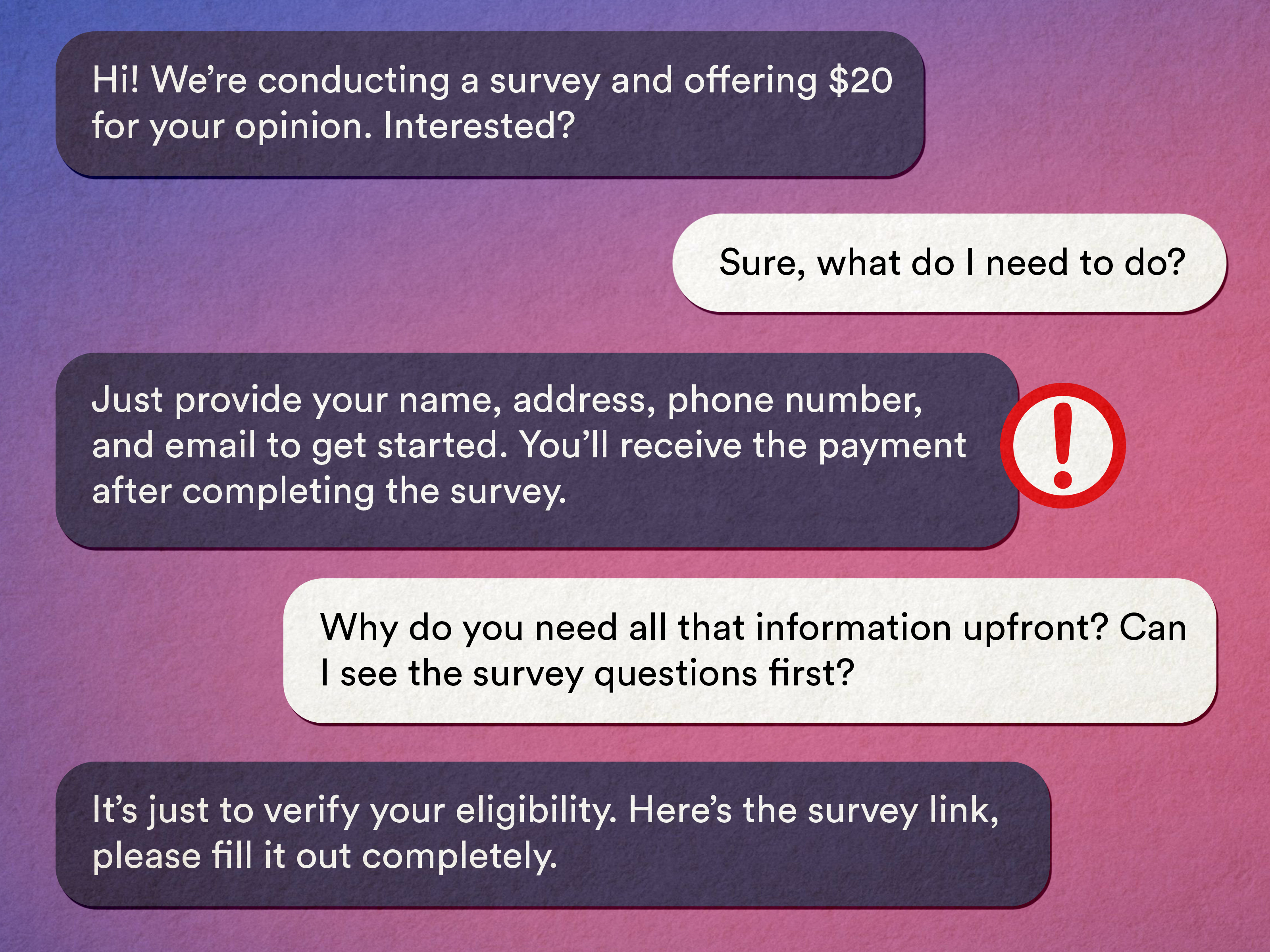
Strong scam signal: requests for passwords, one-time codes, Social Security numbers, bank login details, gift card codes, crypto wallet addresses, or “verification” that includes your private data.
Many legitimate organizations will never initiate contact by text or email to demand sensitive personal or financial information. When in doubt, contact the organization through an official route (their website or the number on your card), not the number in the message.
Step 5: Watch for Payment Red Flags
Scammers push payment methods that are hard to reverse: gift cards, wire transfers, and crypto. If a “government agency” demands gift cards, congratulationsyou’ve met a scammer wearing a trench coat and mustache.
Step 6: Spot the “Almost-Right” Details
Scam messages often include:
- awkward grammar or weird formatting
- generic greetings (“Dear Customer”) instead of your name
- vague claims (“suspicious activity detected”) without specifics you can verify elsewhere
- pressure to keep it secret (“don’t tell your bank,” “don’t contact anyone”)
Step 7: Verify Using a Clean Path
This is the move scammers can’t block: you step out of their message and verify independently.
- Type the organization’s website yourself (or use a trusted bookmark).
- Log into your account normallydon’t use the message’s link.
- Call customer service using a verified number (your card, statement, or the official website).
A Simple Scam Scorecard (Because Your Brain Likes Points)
Use this quick scoring system. It’s not perfect, but it’s fastand speed matters when your thumb is already hovering.
| Red Flag | Points |
|---|---|
| Unexpected message about money/account/security | +2 |
| Urgent threats or “act now” pressure | +2 |
| Link/QR code/attachment included | +2 |
| Sender/domain/number looks weird | +3 |
| Requests passwords, codes, SSN, bank info, gift cards, crypto | +4 |
| “Don’t contact the company/bank” or secrecy demand | +4 |
Score interpretation:
- 0–2: Probably fine, but still verify if it involves money or logins.
- 3–6: Pause and verify using a clean path.
- 7+: Treat as a scam. Report, delete, block.
Common Scam Examples (Texts and Emails) You’ll See Again and Again
Scams change costumes, not scripts. Here are some frequent patterns, with what to look for.
1) Toll or Parking Fee “Final Notice” Text
These messages claim you owe a toll, threaten penalties, and push you to click immediately.
Example: “FINAL NOTICE: You have an unpaid toll. Pay now to avoid fees: paytoll-now.example”
Scam detector move: Don’t click. Go directly to the toll service website or call customer service using a verified number.
2) Package Delivery / USPS “Address Problem” Text or Email
Often says your package can’t be delivered until you confirm details or pay a small “re-delivery fee.”
Example: “USPS: Delivery failed due to incomplete address. Update now: uspstrack.example”
Scam detector move: If you’re worried, manually visit the carrier’s official site and enter your tracking number. Don’t pay random “fees” from a text link.
3) “Your Bank Needs You to Verify Your Account”
These attempt to steal logins or get you to “confirm” card numbers and one-time codes.
Example: “Security Alert: unusual activity. Verify your account now to prevent lock: bank-login.example”
Scam detector move: Use the number on the back of your card (or official app). Never share one-time passcodes with anyone who contacted you.
4) IRS or Tax-Refund Panic Email/Text
Tax-related scams often dangle a refund, threaten enforcement, or push you to “confirm” personal data.
Example: “Your refund is on hold. Verify identity to release funds: refund-portal.example”
Scam detector move: Don’t click. Visit the official IRS website by typing it yourself. If it’s real, you can see it in your account or official notices.
5) Account Reset / “We Detected a Login” Email
Some of these are legitimate security notifications. Others are traps that lead to fake login pages designed to harvest credentials.
Example: “We noticed a login from a new device. If this wasn’t you, secure your account: secure-now.example”
Scam detector move: Navigate directly to the service (Google/Microsoft/etc.) and check security activity from inside your account settingswithout using the email’s link.
6) QR Code “Quishing” (Yes, That’s a Real Word Now)
Emails or flyers push you to scan a QR code for an invoice, HR document, or “secure message.” QR codes can hide malicious destinations just like links.
Scam detector move: Confirm with the sender through a separate channel before scanning. If it claims to be HR, call HR using your internal directorynot the email’s signature.
What to Do If You Already Clicked, Replied, or Paid
First: breathe. Second: act quickly and calmly. The goal is to cut off access and reduce fallout.
If you clicked a link
- Close the page. Don’t download anything.
- If you entered a password, change it immediately (and anywhere else you reused it).
- Turn on multi-factor authentication (MFA). Passkeys are even better when available.
If you shared personal or financial info
- Call your bank/credit card issuer using a verified number and ask about fraud steps.
- Monitor accounts closely for unauthorized transactions.
- Consider placing a fraud alert or credit freeze if identity data was exposed.
If you paid (gift card, wire, crypto, etc.)
- Contact the payment provider immediately. Speed matters.
- Report the scam to appropriate agencies (see below).
- Save evidence: screenshots, sender info, links, transaction details.
How to Report Scam Texts and Scam Emails
Reporting helps providers and investigators block patterns, domains, and phone numbers.
- Spam texts: forward the message to 7726 (SPAM) when supported by your carrier, and use your phone’s “report junk” feature.
- General consumer scams: report to the FTC through its fraud reporting portal.
- Internet-enabled crime/fraud: report to the FBI’s Internet Crime Complaint Center (IC3).
- USPS-related smishing/phishing: report to the U.S. Postal Inspection Service using their published reporting instructions.
- IRS impersonation or tax-related phishing: report using IRS guidance for suspicious tax messages.
Build a Personal “Anti-Scam Force Field” (Set-It-and-Forget-It Edition)
These steps reduce the odds you’ll ever see the worst scamsand reduce damage if one slips through.
- Use a password manager and unique passwords (credential reuse is a scammer’s favorite shortcut).
- Enable MFA/passkeys on email, banking, and social accounts.
- Keep devices updated (updates patch known vulnerabilities).
- Filter aggressively: enable spam protection and block unknown senders where appropriate.
- Make “verify independently” your default: new tab, official site, verified number.
Conclusion
A scam detector isn’t about paranoiait’s about process. If a message tries to rush you, scare you, or “helpfully” hand you a link to fix everything, treat it like a potential scam. Verify through a clean path, protect your accounts with MFA/passkeys, and report suspicious messages so fewer people get hit next time.
Real-World Experiences and Lessons (Extra ~)
Below are a few common real-world patterns people report when they get scammed (details changed to protect privacy). If you’ve ever thought, “I would never fall for that,” read these anywaybecause every story starts with someone feeling exactly the same.
Experience #1: The Toll Text That Arrived During a Busy Commute
One person described receiving a toll payment text right as they were walking into a meeting. The message looked official, cited “late fees,” and included a link. They didn’t click immediately (good!), but they did something almost as risky: they replied asking if it was real. Within minutes, the scammer responded with extra pressure and a “helpful” shortened link. The lesson wasn’t “don’t be curious”it was don’t stay inside the scammer’s conversation. Curiosity is fine. Just verify on your own by going directly to the toll agency site or calling the number you find independently.
Experience #2: “USPS Can’t Deliver” and the $0.30 Trap
Another common story: the package delivery scam that asks for a tiny feeoften under a dollarbecause it feels too small to be dangerous. That micro-charge is psychological bait. People reported thinking, “It’s only 30 cents, whatever,” and then entering a credit card. The scam wasn’t really about the coins in your couch cushions. It was about harvesting card details and using them later, or signing you up for additional fraudulent charges. The lesson: tiny fees can be big scams. Real carriers don’t need a random text link to do basic tracking. If you’re concerned, type the carrier’s official website yourself and check tracking there.
Experience #3: The Bank “Verification” Call After the Email
A particularly sneaky pattern is a two-step attack: first an email about “unusual activity,” then a phone call claiming to be the bank’s fraud department. People described being impressed by how much the caller seemed to knowmaybe their name, last four digits, or a recent purchase. That info can come from data breaches or public records, and it’s used to build trust. Then comes the real theft: the caller asks for the one-time verification code your bank texts you. If you share that code, you’re essentially handing them the key while the lock is still warm. The lesson: one-time codes are for you, not for them. If you get a call like this, hang up and call your bank using the number on your card.
Experience #4: The “Work Document” QR Code That Wasn’t
Several workplace scams start with something that looks boringan HR policy update, a shared document, an invoice. When a QR code is involved, it can bypass the “hover to preview” habit we’ve learned for email links. People reported scanning a QR code that opened a login page that looked like Microsoft 365 or Google. The page was close enough to pass a quick glance, and the person entered credentials. The lesson: treat QR codes like links. If it’s “from work,” confirm with the sender through a known internal channel. And if you ever log in after scanning, immediately check the URL and your account security history.
If there’s one takeaway from all of these stories, it’s this: scams don’t win because people are careless. They win because people are busy. Your scam detector is your pause buttonuse it.