“`
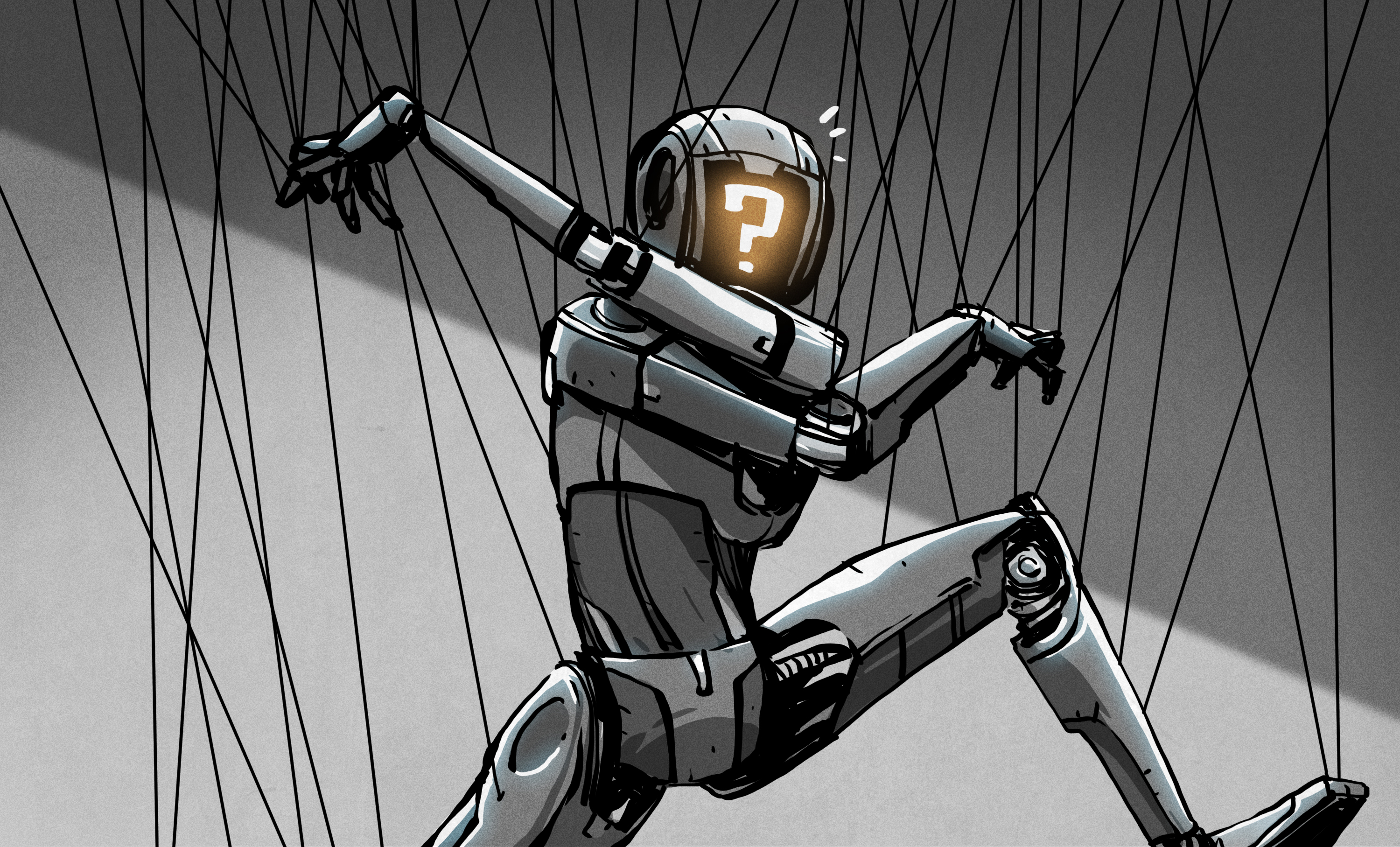
Somewhere on the internet, right now, a viewer is typing !left with the confidence of a NASA flight director and the accuracy of a raccoon piloting a shopping cart. That is the strange magic of Twitch chat controls: a live audience can stop being passive spectators and start becoming part of the machine. Sometimes literally.
Building your own Twitch chat controlled robot sounds like a weekend project that escaped from a hacker convention and ran directly into a comedy sketch. But underneath the chaos is a practical, surprisingly elegant idea: take messages from Twitch chat, parse them as commands, validate them, and send safe instructions to a robot, game, LED wall, camera rig, model train, smart lamp, or whatever else you are brave enough to let the crowd nudge around.
The best part? You do not need a Hollywood robotics lab. A basic setup can be built with Python or Node.js, Twitch’s developer tools, a Raspberry Pi or Arduino, and a healthy respect for emergency stop buttons. The second-best part? You will learn real skills: event-driven programming, API authentication, command queues, hardware communication, rate limiting, moderation, and why the phrase “never trust user input” should be stitched on every programmer’s pillow.
What Does “Twitch Chat Controls” Actually Mean?
Twitch chat controls are a way to let viewers trigger actions by sending messages in a live stream chat. A viewer might type !forward, !dance, !red, !spin, or !launch-confetti. Your bot listens for those messages, decides whether the command is allowed, and forwards the instruction to your software or hardware.
At its simplest, the system has four pieces:
- Twitch chat, where viewers type commands.
- A bot application, usually written in Python, JavaScript, or another friendly language.
- A command processor, which filters, queues, counts, and approves actions.
- A device or app, such as a robot, Arduino, Raspberry Pi, browser game, OBS scene, smart light, or local script.
Think of it like a restaurant. Twitch chat is the dining room. Your bot is the waiter. The command processor is the kitchen manager who says, “No, table seven may not order 900 pancakes at once.” The robot is the chef, hopefully not on fire.
Why Twitch Is Perfect for Interactive Robots
Twitch is built around real-time participation. Viewers already understand that chat can vote, react, spam emotes, trigger alerts, redeem Channel Points, and occasionally produce sentences that make English teachers stare into the middle distance. Turning that energy into controls feels natural.
Robots make the idea even better because physical feedback is satisfying. When chat says !wave and a robot arm waves back, the stream becomes a shared toy. When viewers vote between left, right, and forward, the audience becomes a distributed, slightly chaotic steering committee. The robot’s movement gives the stream a loop: chat acts, the machine responds, viewers laugh, and the next command arrives before the poor motor has emotionally recovered.
This model also works beyond robots. You can use Twitch chat controls to change LED colors, move a camera slider, control a virtual pet, run home-lab demos, play audio stingers, switch game modes, trigger animations, or operate a browser-based dashboard. The robot is just the charming metal mascot for a much broader idea: live chat as a remote control interface.
The Modern Twitch Bot Stack
There are two common ways to read Twitch chat for interactive projects: the newer EventSub approach and the older IRC-style approach. IRC-based bots are still familiar to many developers, especially because libraries like tmi.js made it easy to connect to Twitch chat from Node.js. However, Twitch’s current developer direction favors EventSub subscriptions and API calls for fuller chatbot functionality.
For a new project, it is smart to understand both:
Option 1: EventSub and WebSockets
EventSub lets your application subscribe to events that happen on Twitch. For chat-controlled projects, you can receive chat message events through a WebSocket connection or webhook. WebSockets are especially attractive for hobby projects because your local app can maintain a live connection and receive messages without exposing a public web server.
The flow looks like this:
- Your bot connects to Twitch’s EventSub WebSocket server.
- Twitch sends a welcome message with a session ID.
- Your app creates an EventSub subscription for channel chat messages.
- When viewers type messages, Twitch sends notifications to your bot.
- Your bot parses the text and decides what to do.
This is clean, official, and scalable. It also teaches good habits, because you must think about scopes, tokens, reconnects, authorization, and what happens when the network coughs like an elderly modem.
Option 2: IRC and Chat Libraries
Twitch chat historically exposed an IRC-like interface, and many classic chatbot tutorials use it. With Node.js, tmi.js became popular because it hides much of the raw IRC complexity and gives you a simple message event. Python developers have also written socket-based bots or used community libraries to read messages, check usernames, and respond to commands.
IRC-style connections are still useful for learning and quick prototypes, but they have limitations. Twitch’s own guidance notes that IRC has fewer features than EventSub and can be more complicated to parse. So if you are building something long-term, especially something public, EventSub plus Twitch API calls is the better foundation.
A Simple Architecture for a Twitch-Controlled Robot
Do not start by wiring chat directly to motors. That is how you invent a small plastic bull in a very expensive electronics shop. Instead, design the project in layers.
Layer 1: Chat Listener
The chat listener connects to Twitch and receives messages. It does not move the robot. Its job is only to say, “A message arrived, and here is who sent it.” Keeping this layer simple makes debugging easier.
Layer 2: Command Parser
The parser checks whether a message begins with an approved command. For example:
“`
The parser should ignore random chatter, reject unknown commands, normalize capitalization, and strip extra spaces. Viewers will absolutely type !FORWARD, !forwad, and !forward!!!!!!!!. Your parser should be calm. Be the adult in the server room.
Layer 3: Safety and Permissions
This layer decides whether a command is allowed. You might allow everyone to vote, but only subscribers to trigger special moves. You might give moderators access to !pause and !reset. You should always reserve !stop for the broadcaster and moderators, and you should also have a physical emergency stop that does not depend on Twitch, Wi-Fi, or the bot having a good day.
Layer 4: Queue or Voting System
There are two fun control styles:
Direct mode runs commands as they arrive. If someone types !left, the robot turns left. This is exciting, fast, and deeply vulnerable to a chat that has discovered caffeine.
Voting mode counts commands over a short window, such as five or ten seconds, then executes the most popular choice. This is usually better for crowds because it turns chaos into democracy, or at least into a democracy where “spin” wins every third round.
Layer 5: Hardware Bridge
The hardware bridge sends approved commands to your robot. If you are using a Raspberry Pi, the bot may control GPIO pins directly through Python libraries. If you are using an Arduino, your computer or Raspberry Pi can send serial messages like FWD, LEFT, or STOP, and the Arduino can translate those into motor driver or servo actions.
This separation is important. Twitch should not know what pin your left motor uses. Twitch should only provide intent. Your hardware code should decide how that intent becomes safe motion.
Example Command Map for a Tiny Robot
Here is a simple command map for a small wheeled robot:
“`
Notice the limits. The robot does not drive forward forever. It moves for a short, controlled burst. Speed is capped. Duration is capped. The stop command has priority. This is the difference between a delightful stream and a robot wedged under a couch, rethinking its life choices.
Python or Node.js: Which Should You Use?
Both are good choices. Pick the one that fits your comfort level and your hardware.
Use Python If…
Python is excellent for Raspberry Pi projects, quick scripts, serial communication, and readable command processing. If your robot runs on a Pi, Python feels natural. It is also beginner-friendly, which is helpful when your project already involves OAuth, motors, WebSockets, and viewers named things like “ToastWizard9000.”
Use Node.js If…
Node.js is great for chatbots, dashboards, browser integrations, and event-driven applications. If you plan to build a web interface, use WebSockets locally, or connect to overlays and streaming tools, JavaScript can be very convenient. Libraries like tmi.js helped popularize Twitch chat bots, although modern projects should be aware of Twitch API changes and limitations around older IRC-based behavior.
How to Keep Viewers from Accidentally Destroying Your Project
Letting the internet control hardware is funny only when the hardware is harmless, slow, bounded, and supervised. The golden rule is simple: assume chat will do the funniest possible wrong thing at the worst possible moment.
Use these guardrails:
- Whitelist commands. Never execute arbitrary text as code.
- Use cooldowns. Prevent one viewer from flooding commands.
- Cap speed and duration. Every movement should stop automatically.
- Build a dead-man timer. If no valid command arrives, stop the robot.
- Add moderator override. Mods should be able to pause the system instantly.
- Use physical boundaries. Test in a box, pen, tabletop arena, or taped-off area.
- Log everything. Logs help you debug and identify abuse.
- Never connect dangerous equipment. Keep projects harmless, low-power, and supervised.
This is not being dramatic. This is being the person who does not have to explain to a parent, roommate, landlord, or pet why a chat-controlled robot knocked over a suspiciously expensive lamp.
What Can You Control Besides Robots?
The title says robots, but the same idea can control almost anything that accepts software input. Here are practical examples:
LED Walls and Smart Lighting
Viewers can type !red, !blue, or !party to change lighting scenes. This is one of the safest and most satisfying starter projects because lights provide instant feedback without wheels, claws, or the possibility of your robot hiding under furniture.
Camera Rigs
A motorized pan-tilt camera mount can let chat vote on where to look. Keep movement slow and limited. A camera rig is a great lesson in servos, angles, calibration, and why “just one more feature” is the official anthem of project creep.
Games and Simulations
You can map chat commands to keyboard inputs, game actions, or simulation parameters. This is safer than physical hardware and perfect for stress-testing your command system before connecting a real device.
Model Trains, Tiny Cars, and Tabletop Gadgets
Small, low-speed devices are ideal for interactive streams. A chat-controlled train station, marble maze, vending machine, or desk toy can be wildly entertaining without needing industrial robotics.
OBS Scenes and Stream Effects
Chat can switch overlays, trigger sound effects, reveal polls, or start animations. This is a great beginner path because the “hardware” is your stream layout, not a machine with torque.
A Practical Build Plan
Here is a sensible path from idea to working demo:
- Start with a fake robot. Print commands to the console first.
- Add command parsing. Only accept a small list of commands.
- Add voting or cooldowns. Prevent spam from becoming control chaos.
- Add a local dashboard. Show last command, queue state, and emergency stop status.
- Connect a harmless output. Use an LED before motors.
- Connect the robot at low power. Use short movements and a safe test area.
- Stream privately or to a test account. Invite a few friends to break it gently.
- Go live only after you can stop it instantly. No emergency stop, no public demo.
This plan may sound slow, but it saves time. Debugging Twitch authentication, serial messages, and motor wiring all at once is like trying to solve three escape rooms while someone throws popcorn at you.
Specific Example: Chat Vote Controls a Robot
Imagine a five-second voting window. During that window, viewers type commands. The bot counts valid votes and ignores duplicates from the same user. At the end, the winning command runs.
“`
This creates a rhythm viewers can understand. The stream host can narrate: “Chat, you have five seconds. Where are we going?” The robot moves, everyone reacts, and the next round begins. It is simple, readable, and interactive without becoming a mechanical food fight.
Common Mistakes Beginners Make
Letting Every Message Become a Command
Only process messages that match your command format. A bot should not care if someone says, “my uncle’s toaster also goes left.” Unless it begins with an approved command, ignore it.
Skipping Authentication Planning
Twitch apps need tokens and permissions. Keep secrets out of your code, store them in environment variables, and do not paste tokens into screenshots or livestreams. The internet has excellent eyesight when secrets are involved.
No Cooldowns
Without cooldowns, one enthusiastic viewer can dominate the robot. Add per-user cooldowns, global cooldowns, or voting windows to keep control fair.
No Local Override
Your laptop, keyboard, or physical switch should be able to stop the device immediately. Twitch chat should never be the only way to regain control.
Testing on the Final Robot First
Test with console output, then LEDs, then a motor disconnected from wheels, then a robot lifted off the ground, and only then a robot on the floor. This sequence makes you look patient and wise, which is better than looking surprised and holding a broken wheel.
Experience Notes: What Building This Kind of Project Teaches You
The first big lesson from coding Twitch chat controls is that live input is messy. Tutorials often show perfect commands arriving one at a time, like polite little digital guests. Real chat is different. Messages arrive quickly, users misspell things, people add emotes, someone tests the limits, and another person types the correct command with seven extra exclamation points because enthusiasm is apparently a data format.
That mess is not a problem; it is the point. A good Twitch-controlled robot project teaches you how to build software that survives real people. You learn to normalize text, reject bad input, queue tasks, and create clear rules. You also learn that the best interactive systems feel simple to the audience because the complexity is hidden behind the curtain.
The second lesson is that latency matters, but predictability matters more. Viewers will forgive a short delay if the robot behaves consistently. They will not forgive a robot that sometimes turns left, sometimes ignores them, and sometimes performs a tiny panic dance because the command queue got confused. A voting system often feels better than instant control because it gives everyone a shared rhythm. The audience knows when voting starts, when it ends, and why the robot did what it did.
The third lesson is that safety features make projects more fun, not less. Beginners sometimes think limits are boring. In practice, limits create confidence. When the robot can only move in short bursts, when speed is capped, and when !stop always wins, the host can relax and focus on making the stream entertaining. A calm host makes a better show than a host sprinting across the room to rescue a robot from a chair leg.
The fourth lesson is that small feedback loops are powerful. A simple LED that changes color when a command is received can make debugging easier and make the stream feel alive. A chat message from the bot saying “Command accepted” or “Voting ended: left wins” helps viewers understand the system. Even a small on-screen dashboard showing the current vote count can turn a technical demo into a game.
The fifth lesson is that you should design for moderators from the beginning. Moderators are not just there to remove spam; they can be part of the control system. Give them commands like !pause, !resume, !reset, and !status. When the audience grows, these tools keep the stream from turning into a robot rodeo.
The sixth lesson is that the best projects are understandable. Viewers should not need a manual the size of a refrigerator. Use a small command set, display it on screen, and repeat it naturally during the stream. “Type !left, !right, or !forward to vote” is better than a giant list of commands that makes chat feel like it accidentally enrolled in a software certification exam.
Finally, building Twitch chat controls teaches humility. The first version will be clunky. The bot may disconnect. The robot may interpret “left” with the confidence of a confused shopping cart. But each bug teaches you something valuable about real-time systems, hardware control, user experience, and community interaction. When it finally works, and the chat collectively guides a robot across a tiny obstacle course, it feels less like a gadget and more like a shared little internet creature.
Conclusion: Give Chat the Controls, but Keep the Keys
Coding your own Twitch chat controls for robots is one of those projects that looks silly from a distance and becomes deeply educational up close. It combines live streaming, software architecture, hardware control, moderation, security, and audience design into one memorable build. You can start with a console bot, move to LEDs, graduate to servos, and eventually let chat guide a small robot through a safe little arena like a thousand tiny backseat drivers with emote badges.
The smartest approach is to keep the system modular. Let Twitch provide messages. Let your bot parse commands. Let your queue or voting logic decide what wins. Let your hardware bridge translate approved actions into safe movement. And above all, keep a human-controlled stop button nearby. The internet is wonderful, but it should not be the only thing standing between your robot and the snack table.
Note: This article is written from real Twitch developer practices, common chatbot architecture, and standard hobby robotics patterns. It avoids source-link clutter so the HTML can be copied cleanly into a publishing workflow.