Canon ink cartridges have a special talent: they always seem to run out right when you need to print a shipping label, a school form, or that “quick” document your printer apparently considers a personal attack. The good news is that learning how to refill Canon cartridges with a kit can save money, reduce waste, and keep your printer useful longer. The less glamorous news is that ink is basically tiny liquid chaos, so you need the right steps, patience, and a work surface you do not emotionally depend on.
This complete guide explains how Canon cartridge refilling works, what tools you need, which cartridges are better candidates, how to refill black and color cartridges, how to troubleshoot common problems, and when it is smarter to recycle or replace instead. The goal is not to turn your kitchen into a printer repair lab. It is to help you refill Canon ink cartridges safely, cleanly, and with realistic expectations.
Before You Start: Know What Type of Canon Cartridge You Have
Not all Canon cartridges are built the same. Many popular Canon PIXMA printers use FINE cartridges, such as PG black cartridges and CL tri-color cartridges. These cartridges often combine the ink container and print head in one unit. Other Canon models use individual ink tanks that click into a separate print head, while MegaTank models use refillable ink reservoirs instead of traditional cartridges.
This guide focuses mainly on standard Canon inkjet cartridges that can be refilled with a syringe-style refill kit, especially common PG and CL cartridge families. If you own a Canon MegaTank printer, do not use a cartridge refill kit. Use Canon-compatible bottled ink and follow the tank-fill instructions for your exact model. Tank printers are designed for bottle refilling; cartridge printers are not always designed for it, but many cartridges can still be refilled carefully.
Common Canon Cartridges People Refill
Popular refill candidates include black Canon PG cartridges and tri-color Canon CL cartridges used in home PIXMA printers. Examples include cartridge families similar to PG-240, PG-243, PG-245, PG-260, CL-241, CL-244, CL-246, and CL-261. Exact compatibility depends on your printer model and region, so always check the cartridge number printed on the label before buying a refill kit.
What Comes in a Canon Cartridge Refill Kit?
A typical Canon ink refill kit includes bottles of black, cyan, magenta, and yellow ink; syringes or needle tips; a small drill tool or thumb drill; sealing plugs or tape; gloves; and instructions. Some kits include a cartridge holder or clip to prevent leaking during refill. The best kits are clearly labeled for Canon cartridges and include ink formulated for inkjet printers, not generic craft dye or “mystery liquid from the bargain cave.”
Tools and Supplies You Should Prepare
- Canon-compatible ink refill kit
- Disposable gloves
- Paper towels or lint-free cloth
- Plastic sheet, tray, or old newspaper
- Clear tape or refill plugs
- Toothpick or pin for checking sponge position
- Small flashlight
- Printer paper for nozzle checks and test pages
Work near a sink if possible, but do not refill directly over carpet, wood furniture, bedding, or anything that makes you say, “Please don’t stain.” Ink listens to that sentence and takes it as a challenge.
Important Safety and Warranty Notes
Refilling Canon cartridges is common, but it is not the same as installing a new original Canon cartridge. Refilled cartridges may leak, print unevenly, trigger low-ink warnings, or fail sooner than expected. Printer manufacturers usually recommend genuine cartridges for the most consistent print quality, especially for photos, business documents, and color-critical projects.
Refilling can also affect warranty claims if a printer problem is caused by non-original ink, leakage, or printing while the cartridge is actually empty. That does not mean every refill will destroy your printer. It means you should refill carefully, avoid overfilling, and stop printing if you see fading, streaks, grinding, repeated errors, or ink smears inside the machine.
Step-by-Step: How to Refill a Canon Black Cartridge
Step 1: Remove the Cartridge
Turn on your Canon printer and open the cartridge access door. Wait until the cartridge carriage moves to the replacement position. Remove the black cartridge by pressing it down or releasing it according to your printer’s design. Avoid touching the copper contacts or nozzle plate because oils from your fingers can interfere with printing.
Step 2: Find the Refill Hole
Place the cartridge on paper towels with the label facing up. Many Canon black cartridges have a small vent or fill area under the top label. Peel back part of the label carefully. If your refill kit includes a drill tool, use it only where the kit instructions indicate. You usually need a small opening into the sponge chamber, not a dramatic construction project.
Step 3: Fill the Syringe
Draw black ink into the syringe slowly to reduce bubbles. For many standard-size black cartridges, refill amounts are often modest; XL cartridges hold more. Since capacity varies, follow your kit’s volume chart. The golden rule is simple: slightly underfilled is better than overfilled. A cartridge that leaks like a tiny squid is not a victory.
Step 4: Inject Ink Slowly
Insert the needle into the sponge at a slight angle and inject ink slowly. If ink begins pooling at the top or dripping from the print head, stop immediately. Let the sponge absorb the ink. Rushing this step often causes leaks, smudges, and print-quality problems.
Step 5: Seal and Clean
After filling, seal the hole with the original label, a plug, or a small piece of tape, depending on the kit instructions. Do not block necessary air vents completely, because ink needs controlled airflow to feed properly. Wipe the outside of the cartridge gently. Dab the print head on a folded paper towel. You should see a clean black rectangle or stripe, not a messy puddle.
Step-by-Step: How to Refill a Canon Tri-Color Cartridge
Tri-color cartridges require more attention because cyan, magenta, and yellow live in separate chambers. Mix them up and your printer may produce colors that look like a sunset had a software bug.
Step 1: Identify the Color Chambers
Remove the color cartridge and place it label-side up. Peel back the label to expose the refill holes. The chamber layout can vary by cartridge model, so do not guess. Use your kit’s diagram. If no diagram is available, gently insert a clean toothpick into a hole and check the color on the tip. Use a new clean toothpick for each chamber.
Step 2: Fill One Color at a Time
Use separate syringes for cyan, magenta, and yellow, or clean one syringe thoroughly between colors. Fill slowly and avoid forcing ink into the sponge. Tri-color cartridges are easier to overfill than black cartridges because each chamber is smaller.
Step 3: Watch for Cross-Contamination
If one color bubbles out of another hole, you may be overfilling or injecting too quickly. Stop, dab the top gently, and let the cartridge rest. Cross-contamination can cause strange prints, such as green faces, purple grass, or a family photo that looks like it was taken on another planet.
Step 4: Seal, Dab, and Rest
Replace the label or seal the holes according to the refill kit instructions. Set the cartridge upright on paper towels for 10 to 20 minutes. Then dab the print head gently until you see three clear color marks. If one color is missing, the sponge may not be saturated enough, or the nozzle may need cleaning.
Reinstalling the Refilled Canon Cartridge
Return the cartridge to the printer and press it into place until it clicks or locks securely. Close the access door and wait for the printer to recognize the cartridge. Some Canon printers may still show the cartridge as low or empty because the ink-level estimate is stored electronically and may not reset after refilling.
If your printer warns that ink is low, empty, or cannot be detected, read the message carefully. Many Canon inkjet models allow printing to continue after holding the Stop, Reset, or Resume button for several seconds. Once remaining-ink detection is disabled for that cartridge, you may need to monitor print quality manually. That means when prints fade, streak, or lose color, stop printing and refill or replace the cartridge.
Run a Nozzle Check and Test Print
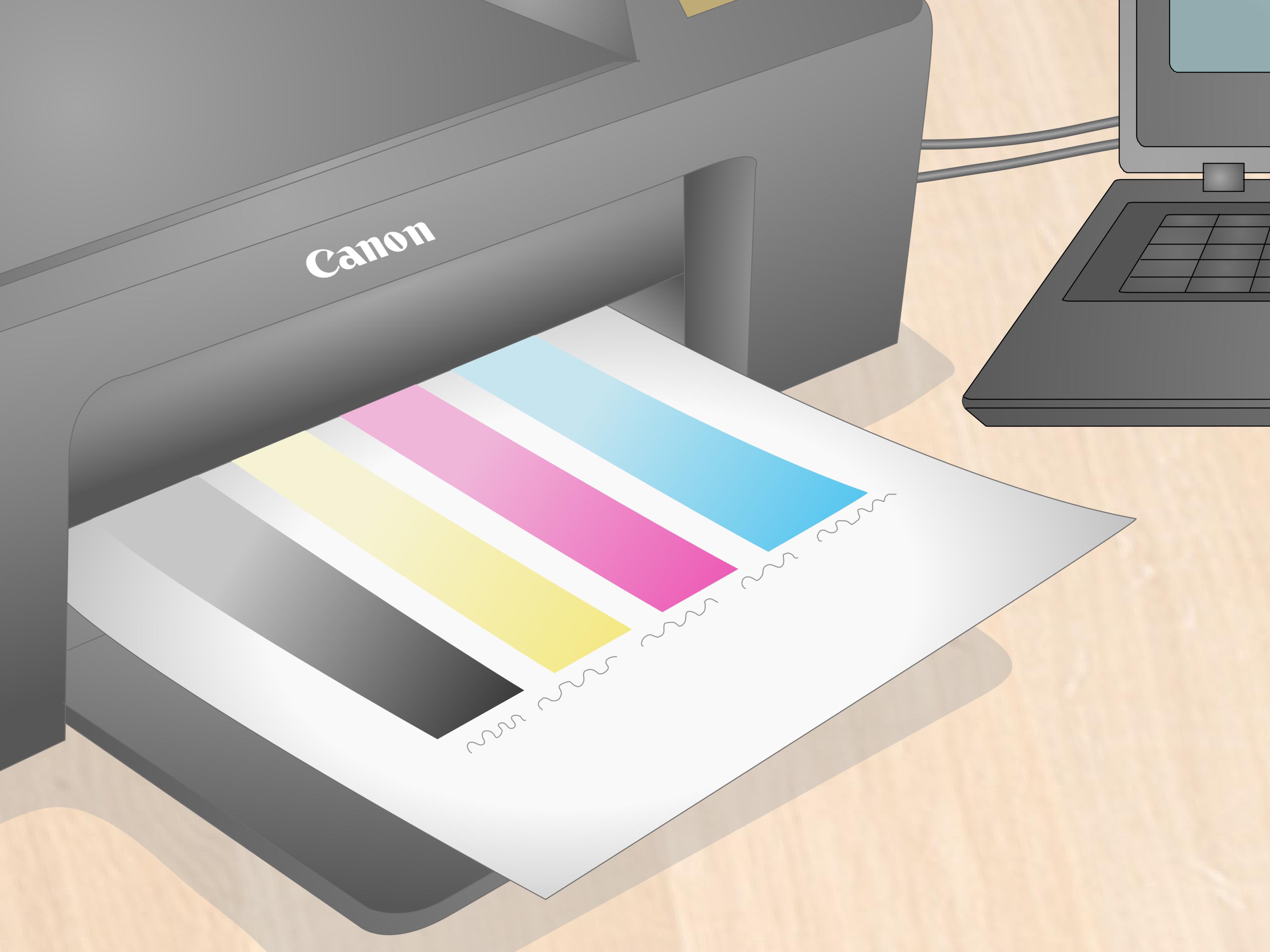
After reinstalling, run a nozzle check from the printer menu or Canon printer software. A nozzle check prints small patterns that show whether black and color nozzles are firing correctly. If the pattern has missing lines, white streaks, or absent colors, run a standard print-head cleaning cycle.
Do not run deep cleaning repeatedly unless needed. Cleaning uses ink and sends waste ink into the printer’s absorber system. Start with one regular cleaning, print another nozzle check, and give the cartridge a little time to settle. Sometimes a freshly refilled cartridge prints better after resting for 30 minutes.
Troubleshooting Common Canon Refill Problems
Problem: The Printer Still Says the Cartridge Is Empty
This is normal with many refilled cartridges. The printer may remember the cartridge as empty and may not measure the newly added ink directly. Try following the on-screen prompt to continue printing or hold the Stop/Reset button as instructed by your printer model. After this, ink monitoring may be disabled, so check print quality manually.
Problem: Ink Is Leaking
Leaking usually means the cartridge is overfilled, the refill hole is not sealed correctly, the air vent is blocked, or the cartridge was stored incorrectly. Remove it, place it on paper towels, and let excess ink drain. Clean the exterior before reinstalling. Never put a dripping cartridge back into the printer.
Problem: Prints Are Faded or Streaky
Faded output can mean air bubbles, clogged nozzles, low ink flow, or a partially dry cartridge sponge. Run a nozzle check, perform one cleaning cycle, and let the cartridge rest. If the problem continues, the print head may be damaged or the cartridge may have been refilled too many times.
Problem: One Color Will Not Print
For tri-color cartridges, one missing color often means that chamber was underfilled, clogged, or contaminated. Confirm the correct color was added to the correct chamber. Run a nozzle check and cleaning cycle. If the color still does not print, the nozzle may be burned out from previous empty printing.
Problem: The Cartridge Is Not Recognized
Remove the cartridge and inspect the copper contacts. Wipe them gently with a lint-free cloth. Reinstall the cartridge firmly and listen for the click. Also confirm that the cartridge number is compatible with your exact Canon printer model. A perfectly refilled cartridge is still useless if it belongs to the wrong printer family.
How Many Times Can You Refill a Canon Cartridge?
There is no universal number. Some Canon cartridges can be refilled several times, while others fail after one or two refills. Integrated print-head cartridges wear out because the nozzle plate experiences heat, ink flow, drying, and physical handling. If print quality drops even after cleaning and correct refilling, replacement is the practical answer.
For best results, refill before the cartridge runs completely dry. Printing with an empty inkjet cartridge can overheat the nozzles and permanently damage the print head. Think of ink as both the color source and part of the cooling system. When it is gone, things get crispy in a bad way.
Best Practices for Better Refill Results
- Refill soon after the cartridge first shows low ink.
- Use ink made for Canon inkjet cartridges.
- Inject slowly to prevent foam and air pockets.
- Never overfill the sponge.
- Keep the copper contacts clean and dry.
- Run nozzle checks before important print jobs.
- Store extra ink bottles sealed, upright, and away from heat.
When Refilling Is Not Worth It
Refilling is not always the hero of the story. If you print professional photos, color-critical graphics, legal documents, or client materials, original Canon cartridges may provide more predictable results. If your printer constantly rejects refilled cartridges, wastes time with errors, or produces poor output, consider remanufactured cartridges from a reputable supplier or a refillable ink-tank printer.
For households that print frequently, Canon MegaTank-style printers can be a better long-term solution because they are designed for bottled ink. The upfront printer cost may be higher, but the cost per page can be much lower over time. For occasional users, refilling a standard Canon cartridge may be enough to stretch the budget without buying a new printer.
Environmental Benefits of Refilling Canon Cartridges
Refilling cartridges can reduce plastic waste and extend the life of existing materials. Ink cartridges contain plastic, metal, foam, electronics, and residual ink, so throwing them away after one use is not ideal. If a cartridge can no longer be refilled, recycle it through a recognized cartridge recycling or take-back program instead of tossing it into the trash.
That said, refilling only helps the environment when it is done responsibly. A leaking cartridge that ruins a printer and sends the whole machine to the landfill is not exactly a sustainability parade. Refill carefully, replace when needed, and recycle spent cartridges properly.
Real-World Experience: What Refilling Canon Cartridges Is Actually Like
The first time you refill a Canon cartridge, the process feels more intimidating than it really is. The kit looks a little medical, the ink bottles look suspiciously permanent, and the cartridge seems too small to contain so much drama. After the first refill, though, the routine becomes simple: protect the table, peel the label, inject slowly, clean carefully, reinstall, and test.
One useful habit is to create a dedicated refill station. It does not need to be fancy. A plastic tray, gloves, folded paper towels, and a small box for syringes and ink bottles are enough. Keeping everything together prevents the classic refill-kit scavenger hunt, where the black ink is in a drawer, the gloves are under the sink, and the syringe has disappeared into the same dimension as missing socks.
Another experience-based tip is to avoid refilling in a hurry. Refilling Canon cartridges five minutes before you need to leave is how people end up with magenta fingers and a printout that looks like it survived a rainstorm. Give yourself time to refill, let the cartridge rest, run a test page, and fix problems before the document matters.
It also helps to keep a simple refill log. Write down the cartridge number, refill date, ink amount, and any print-quality notes. This may sound overly organized, but it quickly shows patterns. If one cartridge starts streaking after the third refill every time, you know its realistic lifespan. If a certain ink brand gives better black text or less clogging, you know what to buy again.
For black text printing, refilled Canon cartridges can be surprisingly practical. School worksheets, shipping labels, recipes, draft documents, and everyday paperwork usually do not require gallery-level perfection. A good refill can make these pages look clean and readable at a much lower cost. For glossy photos, however, expectations should be more cautious. Color balance, fade resistance, and smooth gradients can vary depending on ink quality and cartridge condition.
The most common beginner mistake is overfilling. More ink feels like more value, but cartridges have sponge systems that need air space and controlled flow. When you force in too much ink, the cartridge may drip, smear, or flood the print head. A slightly conservative fill is cleaner and usually more reliable.
The second common mistake is ignoring print warnings after ink monitoring is disabled. Once the printer no longer tracks remaining ink accurately, your eyes become the ink sensor. If black text turns gray or colors begin disappearing, stop printing. Continuing to print with a dry cartridge can damage the nozzles and turn a cheap refill into an expensive replacement.
Refilling also teaches you that printers are not always logical creatures. One day, a cartridge works immediately. Another day, the same cartridge needs a cleaning cycle and a rest before it behaves. This is normal. Inkjet printing depends on tiny nozzles, sponge saturation, air pressure, and clean electrical contacts. A little patience often solves what looks like a major failure.
Overall, refilling Canon cartridges with a kit is best for people who print regularly, enjoy small DIY savings, and do not mind occasional troubleshooting. It is less ideal for people who need flawless color output every time or who become spiritually wounded by error messages. If you approach the process calmly, keep the workspace protected, and accept that not every cartridge can be refilled forever, a Canon refill kit can be a smart tool in your home-office survival kit.
Conclusion
Learning how to refill Canon cartridges with a kit can be a budget-friendly and eco-conscious way to keep your printer running. The process is straightforward: identify your cartridge, use Canon-compatible ink, fill slowly, avoid overfilling, reinstall properly, and run a nozzle check. The biggest keys are patience and realistic expectations. Refilled cartridges can work well for everyday printing, but they may not always match the consistency of new original cartridges.
If your cartridge leaks, refuses to print clearly, or keeps triggering errors after several attempts, replace or recycle it. Refilling is a useful skill, not a magic spell. Done carefully, though, it can save money, reduce waste, and give you that small but satisfying DIY victory of printing again without sprinting to the store for overpriced ink.