“What is it?” is the most powerful question in technologyright after “Did you try turning it off and on again?”
And in this case, “it” usually means IT: Information Technology.
If you’ve ever used Wi-Fi, saved a file, joined a video call, reset a password, or wondered why the printer only jams
when your deadline is in 12 minutes, you’ve already met IT.
This guide breaks down what IT really is, what IT teams actually do all day, and why the field is bigger than “the person
who fixes laptops.” We’ll keep it practical, not preachybecause no one wants a lecture from a router.
So… What Is IT (Information Technology)?
Information Technology (IT) is the use of computer systems and related technology to create, store,
secure, process, and share information. That includes devices (like laptops and servers), software (like operating systems
and business apps), networks (like Wi-Fi and the internet), and the behind-the-scenes services that keep everything running.
Think of IT as the “plumbing and power grid” of modern organizationsexcept instead of water and electricity, it moves
data. And yes, when the data pipes clog, everyone notices immediately.
What IT Includes (And Why It’s More Than Just Computers)
IT covers a wide range of systems and services. In a typical company, IT is responsible for keeping technology useful, available,
secure, and not actively plotting against employees.
1) Hardware: The Physical Stuff You Can Drop (Please Don’t)
Hardware includes laptops, desktops, monitors, printers, phones, servers, network switches, and all the devices that make work possible.
IT teams also manage purchasing, setup, inventory, repairs, replacements, and end-of-life recycling.
Example: A new employee starts Monday. IT ensures they have a laptop, the right accessories, and access to tools before the first meeting.
When this goes well, nobody says, “Wow, what amazing IT!” When it goes poorly, everyone suddenly becomes an expert witness.
2) Software: From Operating Systems to Business Apps
Software is everything from Windows/macOS and mobile operating systems to email, accounting tools, project management platforms,
antivirus software, and specialized apps used in healthcare, education, finance, and manufacturing.
IT handles installation, updates, licensing, troubleshooting, and making sure the same tool doesn’t exist in five versions across one department
like a digital “choose your own adventure” book.
3) Networking: How Devices Talk to Each Other
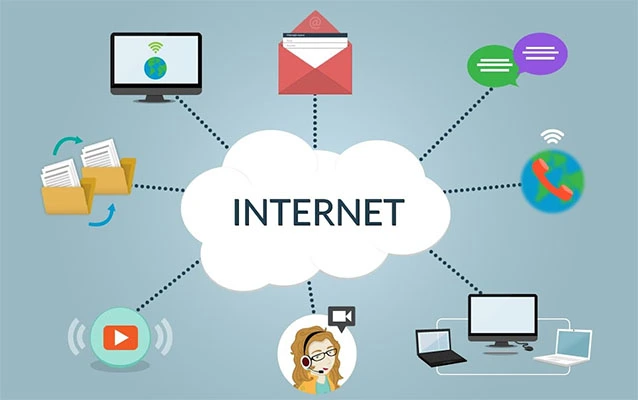
Networks connect computers and devices so they can share resources and communicatelocally (in an office) and globally (across the internet).
Networking includes Wi-Fi, routers, switches, firewalls, VPNs, and the policies that decide what can connect to what.
Example: If your video call freezes while you’re explaining something important, that’s networking reminding you that you are not in control.
IT’s job is to make that happen less often.
4) Data and Storage: The Company’s “Memory”
Organizations run on information: customer records, sales reports, medical charts, designs, employee documents, and logs that show what happened
when something went wrong. IT designs storage systems (on-premises or cloud), manages backups, and ensures data is recoverable.
The most comforting sentence in business is: “We have a verified backup.” The second most comforting sentence is: “It actually restores.”
5) Security: Keeping the Doors Locked (Even When People Leave Them Open)
IT security is about protecting systems and data from threatsphishing, malware, ransomware, unsafe configurations, and unauthorized access.
Modern IT is inseparable from cybersecurity because every system that stores or transmits information is a security concern.
Example: An employee gets a realistic email asking them to “confirm” their password. Security training, strong authentication, and filters help
stop one click from becoming a very expensive lesson.
IT vs. Computer Science vs. Information Systems: What’s the Difference?
These fields overlap, but they’re not identical:
- IT focuses on running and supporting technology in real environments: systems, networks, users, and operations.
- Computer Science tends to focus more on theory and software creation: algorithms, programming, computation, and engineering fundamentals.
- Information Systems (IS) often sits between business and tech: using systems to solve organizational problems and improve processes.
A simple way to remember it: computer science can be about building the engine, IS can be about choosing the right car for the business,
and IT is about keeping the fleet runningoil changed, tires inflated, GPS updated, and nobody driving into a lake.
What IT Teams Actually Do (A Non-Exhaustive List, Because IT Never Ends)
In organizations, IT provides servicesmeaning technology delivered in a way people can actually use. Many teams manage IT work through
a service mindset: requests, incidents, problems, changes, and continuous improvement.
Common IT services in the real world
- Help desk / IT support: troubleshooting, account access, device setup, and “why is this doing that?”
- Identity and access management: accounts, permissions, onboarding/offboarding, multifactor authentication.
- Infrastructure management: servers, virtualization, endpoints, patching, monitoring.
- Network operations: Wi-Fi reliability, VPN access, bandwidth, segmentation, performance.
- Cybersecurity operations: risk reduction, incident response, logging, and security controls.
- Cloud operations: managing cloud services, costs, performance, reliability, backups, and shared responsibility.
- Business continuity & disaster recovery: planning for outages, backups, recovery testing, and resilience.
IT Service Management (ITSM): The “How” Behind IT Work
A lot of modern IT is shaped by IT Service Management (ITSM)a way of organizing IT to deliver services reliably.
In plain English: ITSM helps teams avoid chaos by defining how work is requested, tracked, prioritized, fixed, documented, and improved.
ITSM commonly includes:
- Incident management: restoring service when something breaks (the “get it back” phase).
- Problem management: figuring out root causes so it doesn’t break again (the “why did it break” phase).
- Change management: making updates safely, with approvals and rollbacks (the “don’t break production” phase).
- Service request management: handling standard requests like new laptops, access, or software.
- Knowledge management: documenting fixes so the same issue doesn’t become a weekly tradition.
If you’ve ever heard someone say, “Please submit a ticket,” that’s ITSM in action. And yes, it can feel annoyinguntil you realize tickets
are how IT teams keep 200 urgent requests from becoming a real-life game of whack-a-mole.
Cybersecurity: A Core Part of IT (Not a Bonus Feature)
Cybersecurity isn’t just “the security team’s job.” It’s woven into everything IT touchesdevices, accounts, networks, applications, cloud services,
and data storage. Many organizations use established guidance to manage risk, build policies, and prioritize protections.
What “good security” looks like in everyday IT
- Strong authentication: multifactor authentication (MFA) and smart access controls.
- Phishing awareness: training that helps people recognize suspicious messages.
- Patch management: keeping systems updated so known vulnerabilities aren’t left wide open.
- Backups: protected backups that can be restored quickly.
- Monitoring and response: logging activity and reacting quickly when something looks wrong.
Practical example: a small business can dramatically reduce risk by using MFA, training staff to spot phishing, and keeping systems updatedsimple steps
with big impact.
Cloud Computing: IT Resources Without Owning the Data Center
Cloud computing delivers computing resources (like servers, storage, and databases) over the internet, often with pay-as-you-go pricing.
Instead of purchasing and maintaining hardware, organizations rent what they need from cloud providers.
Cloud service models you’ll hear all the time
- IaaS (Infrastructure as a Service): virtual servers, networking, storagemore control, more responsibility.
- PaaS (Platform as a Service): a managed platform for building and running appsless infrastructure work.
- SaaS (Software as a Service): complete applications delivered via the web (email, CRM, collaboration tools).
Important reality check: “Cloud” does not mean “someone else’s problem.” Cloud services run on a shared responsibility modelproviders secure parts of the
infrastructure, and customers still need to secure access, configurations, and data handling.
DevOps and SRE: When IT and Software Teams Move Faster (Safely)
As companies deliver software updates more frequently, IT responsibilities blend into modern operations practices.
DevOps is a cultural and technical approach that helps teams deliver applications faster and more reliably by improving collaboration
between development and operations.
Site Reliability Engineering (SRE) takes a similar goalreliabilityand treats operations like an engineering problem, emphasizing
automation, monitoring, and measurable service performance.
Example: A streaming service pushes frequent updates. DevOps practices automate deployment. SRE practices define reliability targets, track latency,
and ensure the system can handle spikes (like a big sports final) without falling over dramatically.
Why IT Matters to Every Industry
IT isn’t “just a tech company thing.” Almost every modern organization is powered by technology:
- Healthcare: electronic health records, imaging systems, secure messaging, patient portals, and compliance.
- Education: learning platforms, device programs, campus networks, and remote learning tools.
- Retail: point-of-sale systems, inventory tracking, e-commerce, fraud detection.
- Manufacturing: automation, sensors, maintenance systems, production planning tools.
- Finance: secure transactions, data analytics, identity verification, regulatory reporting.
If an organization handles sensitive information, serves customers, or relies on systems that must stay available, IT is part of the businessnot a side
quest.
Careers in IT: Roles, Skills, and What You Actually Do
IT careers range from entry-level support to advanced security, cloud engineering, networking, data management, and leadership roles.
The field is broad because technology is broadand because problems come in endless creative flavors.
Popular IT job paths
- IT Support Specialist / Help Desk: solves user issues, manages devices, handles access and troubleshooting.
- System Administrator: manages servers, accounts, backups, patching, and infrastructure stability.
- Network Administrator / Engineer: builds and maintains networks, Wi-Fi, routing, security controls.
- Cybersecurity Analyst: monitors threats, improves defenses, investigates incidents.
- Cloud Engineer: manages cloud infrastructure, automation, cost optimization, reliability.
- IT Manager / Director: aligns IT strategy with business goals, budgets, risk, and performance.
Skills that pay off (even if you’re just starting)
- Communication: translating “the internet is broken” into a solvable problem.
- Basics of networking: IP addresses, Wi-Fi, DNS, and how devices connect.
- Security habits: MFA, least privilege, patching, safe configurations.
- Operating system comfort: Windows/macOS/Linux fundamentals, logs, permissions.
- Troubleshooting: forming hypotheses, testing, isolating variables, documenting outcomes.
- Automation mindset: scripts and tools that reduce repetitive manual work.
Bonus truth: IT is partly technical and partly human. People don’t just need a “fix”they want to feel understood, not judged for clicking the thing that said
“CLICK HERE URGENT” in 72-point font.
How to Recognize Good IT (Hint: It’s Usually Quiet)
When IT works well, it’s almost invisible:
- New employees get access on day one.
- Updates happen without drama.
- Wi-Fi is stable in meetings.
- Security is strong without blocking legitimate work.
- Outages are handled quickly, transparently, and with a plan to prevent repeats.
Great IT is like great stage crew: you only notice it when something catches fireand ideally, it doesn’t.
Conclusion: IT Is the Engine Room of Modern Life
ITInformation Technologyis the combination of systems, services, and people that keep information flowing safely and reliably. It includes hardware,
software, networking, data management, security, cloud services, and the operational practices that keep everything running.
Whether you’re exploring an IT career, hiring an IT team, or just trying to understand why your password needs “a symbol, a haiku, and the blood of a dragon,”
the core idea stays the same: IT exists to make technology work for people, not the other way around.
Experiences: What “IT” Feels Like in Real Life (500+ Words)
If you want to understand IT, don’t start with diagrams. Start with a Monday morning.
Someone’s laptop won’t boot. Another person can’t access a shared folder. A third user swears the printer is “possessed,” which is not a technical term,
but is emotionally accurate. In the middle of this, a meeting starts in five minutes, and the Wi-Fi chooses that moment to become philosophical about
its purpose in the universe.
Real IT work is a mix of puzzles, customer service, and risk management. You’re constantly switching between “tiny details” and “big picture.”
One minute you’re adjusting a single permission so a finance analyst can open a report. The next minute you’re thinking about how that same permission
model affects the entire department, whether it violates least privilege, and how to prevent an accidental data spill. It’s like being asked to fix one
squeaky door while also designing the building’s security system.
You also learn that technology problems rarely arrive alone. A “can’t log in” issue might actually be an expired password, a new MFA requirement,
a recently updated device policy, and a user who is traveling and can’t receive text messages. The fix might be simple, but the path to the fix isn’t always.
Good IT people become skilled at asking calm, specific questions that turn frustration into facts: “What exact message do you see?” “When did it last work?”
“What changed?” (Spoiler: something always changed.)
There’s a special kind of satisfaction in solving a problem that blocks someone’s work. When an employee is stuck, productivity stops.
When IT unblocks them, the whole organization moves again. That’s why IT support can feel like being a pit crew:
fast diagnosis, quick action, minimal fuss, and back on the track. And yes, sometimes you’re the only person who knows where the “spare tire” is.
Security work adds another layer to the experience. You’re not just fixing what’s brokenyou’re preventing what hasn’t happened yet.
That can feel invisible, even thankless. When MFA prevents an account takeover, there’s no party. When patching closes a vulnerability, nobody applauds.
But when security is ignored, the consequences can be loud, expensive, and public. IT teaches you to respect “boring” routinesupdates, backups,
access reviewsbecause boring is often the thing standing between “normal Tuesday” and “why is our whole system encrypted?”
Over time, you start seeing the world in systems. You notice how people use tools, where workflows break down, and how small changes create big effects.
You develop empathy for users (even the ones who say, “I didn’t do anything!” while holding the exact cable they unplugged). You also learn humility,
because no matter how experienced you are, technology can surprise you. Sometimes the solution is advanced engineering. Sometimes the solution is
plugging the thing back inpolitely, without making eye contact with the printer.
That’s the lived experience of IT: a steady effort to keep technology reliable, secure, and usableso people can do their jobs without fighting their tools.
And when it goes right, the best compliment you can get is silence… followed by, “Everything’s working now. Thanks!”