Some photos are born iconic. Others are born… “Why is my thumb in this?” But here’s the secret the internet learned years ago: you don’t need a perfect photo to make a great one. You need a twist. A little mischief. A tiny sprinkle of “Wait, is that a panda wearing sunglasses?” energy.
That’s the spirit behind “Hey Pandas, Take A Pic And Add A Fun Twist To It”a friendly, chaotic rally cry for anyone who’s ever looked at a perfectly fine photo and thought, “This could be 17% funnier.” Whether you’re editing for laughs, likes, or just to amuse your group chat until they beg you to stop, this guide walks you through how to add playful photo effects that landwithout turning your memories into a blurry crime scene.
Why “Hey Pandas” Works (Even If You’ve Never Worn Black-and-White)
Calling people “pandas” feels like internet shorthand for: you’re cute, you’re chaotic, and you deserve joy. It’s also a perfect vibe for photo editing, because pandas themselves are basically walking punchlines. They’re adorable. They’re clumsy. They look like they’ve just discovered gravity and are personally offended by it.
So when we say “Hey Pandas,” we’re not talking about elite photographers with dramatic lighting rigs. We’re talking about normal humans with a phone camera, an idea, and the willingness to add a floating bamboo sticker to a family portrait (tastefully… sort of).
What Counts as a “Fun Twist” (And What Counts as Digital Noise)
A fun twist is a change that makes the viewer feel somethingusually a quick laugh, a tiny surprise, or a “how did you do that?” pause. It’s not about piling on effects until your photo looks like a coupon flyer fighting a glitter factory.
The three golden rules of a twist that works
- Keep the subject readable. If we can’t tell who’s in the photo, the joke becomes “Where did my face go?”
- One strong idea beats five weak ones. A single clever edit wins over 12 random stickers every time.
- Match the twist to the mood. A panda photobomb is great at a picnic. Less great at… a courtroom selfie. (Let’s not.)
Fast Twists: 60-Second Edits That Always Land
If you want instant results, start with edits that don’t require a design degree or a minor in “Where did that menu option go?” These are the building blocks of fun photo editingquick, clean, and reliably shareable.
1) Caption it like a meme, not a diary entry
The best captions do one of three things:
- Reveal a hidden thought: “Me pretending I know what ‘synergy’ means.”
- Flip the context: Turn a serious pose into “Album cover for my band: The Unpaid Interns.”
- Call out the moment: “When the waiter says ‘enjoy’ and you reply ‘you too.’”
Keep it short. Let the photo do the heavy lifting. Your words should be the punchline, not the entire comedy special.
2) Crop for comedy
Comedy loves timingand cropping is timing for images. Tight crops amplify facial expressions. Wide crops reveal the “plot twist” in the background (like your dog mid-zoomies). If your photo editor offers reframing suggestions, treat them like helpful ghosts whispering, “Zoom in on the chaos.”
3) Add a single sticker with purpose
One sticker placed well can transform the story:
- A tiny crown on the friend who always acts like royalty (accurate).
- A “NEW!” label on your toddler holding a spoon like it’s a microphone.
- A bamboo sprig hovering near a snack photo for instant “panda-core.”
4) Doodle like you mean it
Markup toolssimple lines, arrows, circlesare underrated comedy engines. A single arrow that says “the moment everything went wrong” can outperform a dozen filters.
Panda Mode: The Cutest Twist That Still Feels Grown-Up
Let’s talk panda aesthetics. “Panda twist” doesn’t have to mean slapping cartoon bears everywhere. The best panda-inspired edits borrow the panda vibe: bold contrast, playful innocence, and a hint of clumsy charm.
Try these panda-friendly styles
- High-contrast black & white with one accent color (like green bamboo, a red balloon, or neon text).
- Soft “puffy” outlines around the subject to give sticker-like energy without clutter.
- Comic-style effects (sparingly) for a “Saturday morning mischief” vibe.
Bonus: if your phone lets you turn subjects into stickers, you can cut out a friend’s face and create a “reaction panda” pack for your group chat. This is the modern equivalent of carrying wallet photosexcept more unhinged.
AR Filters: When Your Face Becomes a Stage
Augmented reality (AR) filters are the easiest way to add a twist that feels “alive.” They’re the digital version of showing up to brunch wearing novelty sunglassesunnecessary, but somehow essential.
How to use AR filters without looking like a haunted doll
- Pick filters that enhance, not erase. Subtle lighting, playful accessories, gentle background changes.
- Avoid “face melt” effects unless the goal is horror-comedy.
- Match the filter to the story. Animal companions, floating hearts, sparkleschoose one theme.
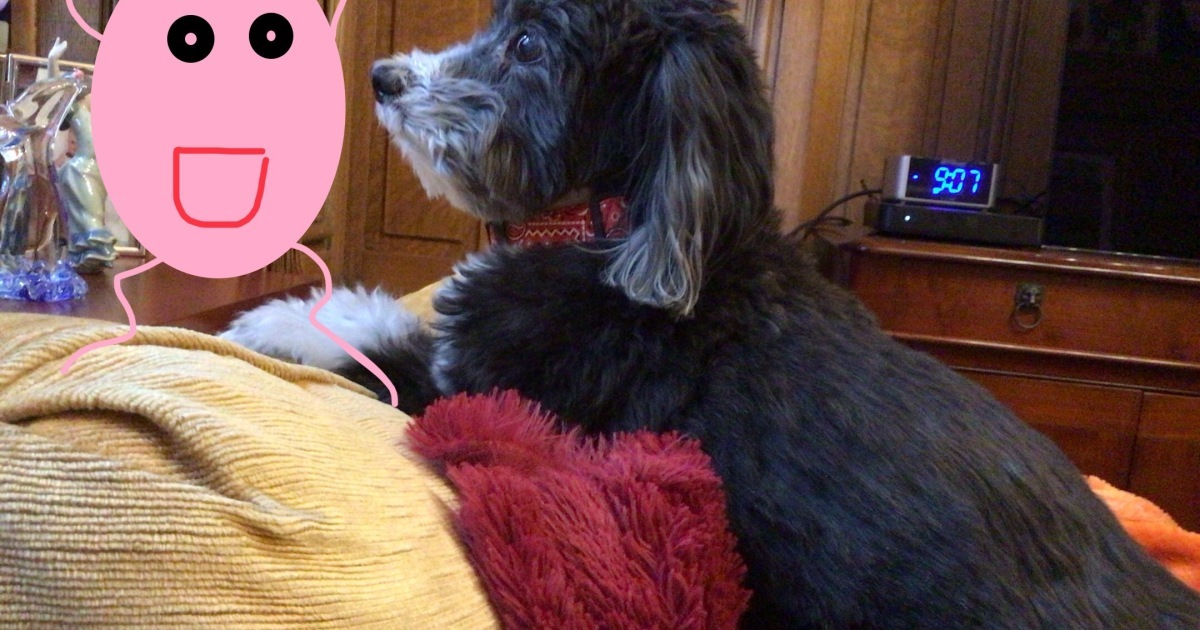
Pro move: use AR to create a “panda photobomb” effectan animal buddy popping into the corner, reacting to the scene. It reads instantly and doesn’t overwhelm the subject.
AI Photo Editing: The New Magic Trick (Use Responsibly, Pandas)
AI photo editors have made it shockingly easy to do edits that used to require pro software: remove distractions, expand backgrounds, shift objects, change skies, and add elements with a text prompt. That’s amazingand also why you should treat it like hot sauce: a little goes a long way.
1) “Remove the thing” edits (aka the cleanup crew)
We’ve all taken a great picture ruined by a random trash can, a stranger in the background, or a sign that says “NO FUN ALLOWED.” Modern editors can often erase distractions with a tap. The best use case is decluttering so your twist can shine.
2) Expand the frame (aka “make the moment feel bigger”)
Ever wish your photo had more sky, more beach, more stage, more vibes? Some AI tools can extend the edges of an image to create breathing room. This is perfect for turning an ordinary snapshot into a poster-style layoutthen adding a single comedic element (like a panda silhouette holding a tiny boom mic).
3) Reimagine backgrounds (aka “put me somewhere funnier”)
Background changes are where fun twists become story. You can take a basic photo in your living room and turn it into:
- A bamboo forest “press conference” (pandas as the paparazzi)
- A retro mall portrait studio (soft glow, dramatic pose)
- A sci-fi bridge (you as captain of the U.S.S. Snack Time)
The key is to keep it believable enough that the joke lands. If the background looks like a broken video game cutscene, the viewer stops laughing and starts squinting.
4) Pro-level fun: generative tools in creative software
Advanced editors can do even moreadding or removing objects, generating believable fill in selected areas, and offering AI-powered filters that adjust portraits, blur backgrounds, or colorize older images. If your goal is a polished “funny but high-quality” result (like a birthday invite that looks professional but features a panda DJ), these tools are your best friend.
5) Sticker creation: the underrated comedy factory
Stickers are the most shareable form of a fun twist because they travel well. Make a sticker pack from:
- Your friend’s legendary “I can’t believe this is happening” face
- Your pet mid-yawn (instant drama)
- A cut-out of you holding coffee like it’s a trophy
Then reuse them across photos, messages, and stories for a consistent “Hey Pandas” signature style.
A Mini Playbook: 7 Fun Twists You Can Try Tonight
- The Panda Photobomb: Add one panda element peeking from a corner, reacting to the scene.
- The “Documentary” Caption: Label the photo like a nature documentary: “Here we observe the human attempting brunch.”
- The Sticker Shadow: Turn the subject into a sticker with an outline, then add a subtle drop-shadow for pop.
- The Mood Swap: Change only the background vibe (sunny to stormy, modern to vintage) while keeping the subject real.
- The Prop Upgrade: Replace a boring object with a fun one: a plain mug becomes a “World’s Okayest Panda” trophy.
- The Clean-Then-Comic: Remove distractions first, then add one comic effect (like a speech bubble).
- The Before/After Duo: Post the original next to the twisted version. People love seeing the trick.
Share-Ready Without Being Sketchy: Privacy, Labels, and Common Sense
Because AI edits can look real, the modern “fun twist” comes with a small responsibility package. Not a lecturejust a few guardrails so your comedy doesn’t turn into confusion.
- Don’t “edit in” people or brands in a misleading way. Keep it obviously playful.
- If your edit could be mistaken for reality, label it. A simple “Edited for fun” works.
- Be mindful of app indicators and metadata. Some platforms are adding ways to mark AI-altered images, which is good for everyone.
- Get consent for heavy edits of friends. Especially if the twist is… spicy.
A good rule: if you’d hesitate to show the edit to the person in the photo while maintaining eye contact, maybe don’t post it publicly. Group chat is a safer habitat for wild pandas.
FAQ: Quick Answers for Busy Pandas
What’s the easiest way to add a fun twist to a picture?
Add one strong element: a short meme-style caption, a single sticker, or a clean crop that highlights a funny expression. Fast wins beat complicated edits.
Are AI photo edits good for beginners?
Yesespecially for cleanup (removing distractions), reframing, and simple background enhancements. Start subtle, then level up as you learn what looks natural.
How do I keep edits from looking “overdone”?
Pick a theme (panda vibe, retro vibe, comic vibe) and stick to it. Use one main effect and one supporting detail, max.
What kinds of photos work best for fun twists?
Photos with clear expressions, simple backgrounds, and a single focal point. Busy scenes can work, but they need extra restraint.
Conclusion: Keep It Simple, Keep It Funny, Keep It You
The internet doesn’t need more perfect photos. It needs more personality. “Hey Pandas, Take A Pic And Add A Fun Twist To It” is permission to playto take an ordinary moment and give it a little spark, a little story, a little “I made this for us” energy.
Start with the basics: captions, crops, stickers. Graduate to AR filters when you want movement and mood. Use AI when you need cleanup or a creative background shift. And when in doubt, remember the panda principle: cute + clumsy + confident. That’s the whole recipe.
Experience Section: 5 Realistic “Hey Pandas” Moments (500+ Words)
Because you asked for experiences: below are five common, real-world scenarios people run into when they start adding fun twists to photos. Think of these as “field notes” from the average pandano perfection, lots of personality, and a few lessons learned the hilarious way.
1) The Birthday Photo That Became a Running Joke
Someone snaps a normal birthday picture: cake, candles, smiles. Harmless. Then one friend adds a tiny panda in the corner holding a clipboard like an event planner. Next, another friend adds a speech bubble: “We’re going to need more frosting.” Suddenly, the birthday photo becomes a series. The next year, the panda returns with a headset mic. By year three, the panda has a full staff. The lesson: one consistent character (your “panda mascot”) turns random photos into a tradition people actually look forward to.
2) The “Work Photo” That Needed a Gentle Rescue
You know the type: someone takes a team photo at a company event, and everyone looks like they’re being held hostage by fluorescent lighting. The fun twist isn’t to clown on anyoneit’s to lift the mood. A subtle edit removes a distracting background sign, then adds a clean caption like “Corporate Wildlife Sighting.” One person gets a tiny crown sticker labeled “Spreadsheet Wizard.” Another gets “Meeting Survivor.” The result is playful, kind, and shareablebecause the joke is the situation, not the people.
3) The Pet Photo That Accidentally Became a Brand
A dog mid-yawn. A cat glaring like a tiny landlord. Someone turns the pet into a sticker and starts dropping it into everyday photos: peeking behind a coffee cup, sitting on a laptop, “guarding” a grocery haul. Friends begin requesting custom versions: sunglasses pet, chef hat pet, detective pet. Before anyone realizes what happened, the group chat has a full sticker pack with recurring roles. The lesson: sticker-based twists scale fast because they’re reusable. You don’t need to reinvent the jokejust relocate it.
4) The Vacation Shot That Got a “Movie Poster” Glow-Up
A friend has a great beach photobut the horizon is slightly crooked, and there’s random clutter near the edges. A quick reframing makes it feel cinematic. Then the fun twist: a dramatic title at the bottom, like “MISSION: FIND TACOS.” One small panda silhouette with binoculars appears on a distant rock (barely noticeable at first), and that’s what makes people zoom in and laugh. The lesson: the best twists reward attention. Big joke for the scroll-stopper, tiny joke for the zoomers.
5) The AI Edit That Taught Everyone to Label Things
Someone tries an AI background change: turning a backyard photo into a snowy scene. It looks surprisingly real. The comments roll inhalf amazed, half confused. One person thinks it’s an actual snow day and starts asking questions. That’s when the editor adds a simple note in the caption: “Edited for fun ❄️.” Problem solved. Nobody feels tricked; everyone still enjoys the magic. The lesson: when tools get powerful, clarity becomes part of the craft. A twist is fun when everyone’s in on it.
In all five cases, the “Hey Pandas” pattern is the same: start small, commit to one idea, and make the edit feel like an inside jokenot a software demo. That’s how a simple photo becomes a shared memory people actually keep revisiting (instead of letting it rot in the camera roll next to 47 screenshots of delivery tracking).