Whether you are a professional writer, a software engineer, or a student finishing a term paper, the ability to translate thoughts onto a screen with speed and precision is an invaluable daily asset. However, improving your input velocity is about much more than just racing against a timer. Engaging in structured typing speed exercises transforms the mechanical act of data entry into a seamless extension of your thoughts, bridging the gap between mind and monitor.
Beyond simply shaving seconds off your workflow, consistent practice sharpens essential cognitive skills like cognitive pattern recognition, helping your brain anticipate character sequences before your fingers even strike the keys. In this guide, you will learn how to optimize your physical workspace, prioritize accuracy over raw velocity, and implement advanced neurological drills that drive long-term proficiency. Whether you want to break past an arbitrary words-per-minute plateau or build lifelong ergonomic habits, mastering these fundamentals will revolutionize how you interact with your keyboard.
1. Mastering Typing Speed Exercises and Ergonomic Fundamentals
Mastering the art of modern keyboard input is far more than a clerical skill; it is a foundational upgrade for your daily productivity and mental efficiency. Whether you are drafting professional reports, writing code, or engaging with interactive tasks like Keyboard Binding Setups: Best Layout Tips & Mapping Guides, your physical interaction with the keyboard dictates your long-term comfort and output.
1.1 The Neurological Impact of Touch Typing
When you transition from casual typing to structured touch typing, your brain undergoes a remarkable shift in how it processes information. Engaging in regular typing speed exercises triggers neuroplastic changes, forging robust pathways between visual stimuli, tactile cues, and motor execution.
1.1.1 Developing Muscle Memory through Tactile Feedback
Muscle memory is essentially procedural memory consolidated through repetition. As your fingers repeatedly strike specific keys, your central nervous system automates the motor sequence. The subtle tactile feedback from the home row bumps acts as a spatial anchor, allowing your fingers to navigate the keyboard layout without visual confirmation.
1.1.2 Reducing Cognitive Load to Enhance Mental Processing
By bypassing the visual search for individual keys, touch typing drastically reduces your cognitive load. Instead of splitting your mental bandwidth between what you want to say and where the keys are located, your brain dedicates full processing power to creative thought, problem-solving, and strategic analysis.
1.2 Establishing Physical Foundations for Speed
Before chasing high words-per-minute (WPM) milestones, you must establish an ergonomic and physical baseline that protects your body from strain.
1.2.1 Optimizing Workspace Ergonomics to Prevent Fatigue
Your physical setup dictates your endurance. Ensure your chair is adjusted so your feet rest flat on the floor, your elbows sit at a comfortable 90-degree angle, and your wrists remain neutral—neither floating too high nor resting heavily on hard desk edges.
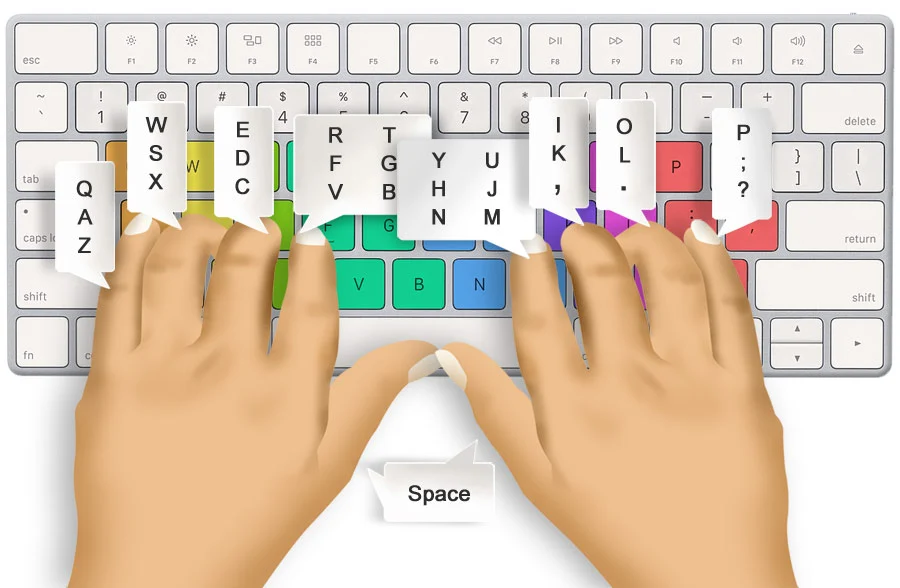
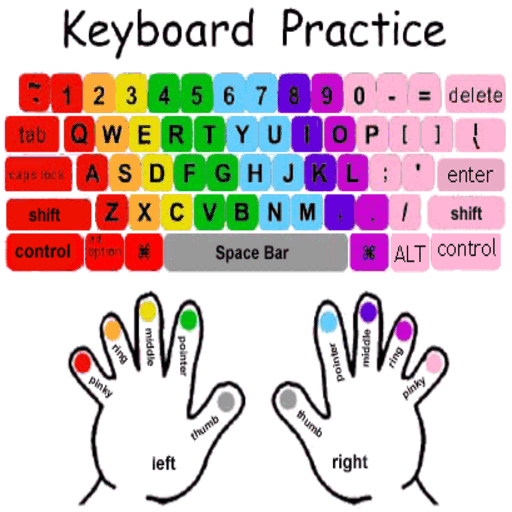
1.2.2 Correct Finger Placement and Home Row Mastery
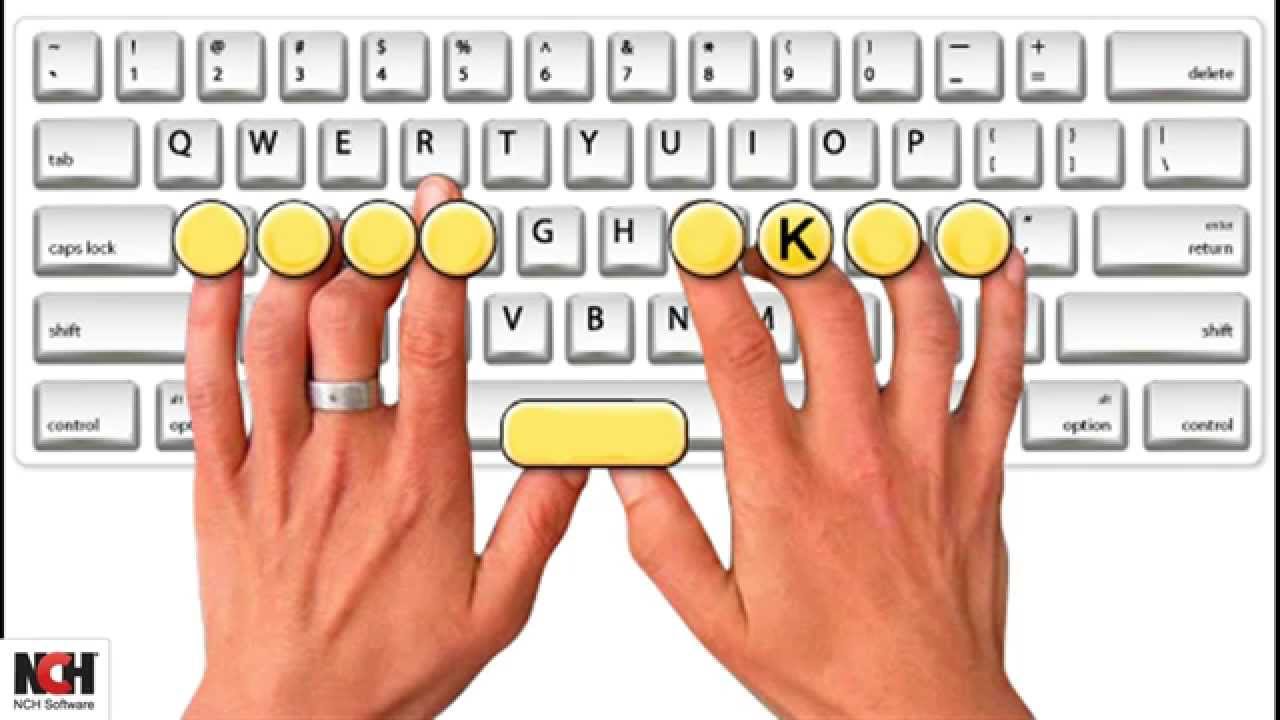
Consistency starts on the home row (ASDF for the left hand, JKL; for the right hand). Every keystroke should originate from and return to these home positions, establishing a reliable baseline for spatial awareness across the entire keyboard.
1.2.3 Breaking the Hunt-and-Peck Habit for Spatial Awareness
The visual hunt-and-peck method severely caps your potential speed and fractures your concentration. Overcoming this habit requires conscious retraining, forcing your hands to rely entirely on cognitive pattern recognition rather than your eyes.
1.3 Prioritizing Accuracy as a Velocity Catalyst
It is a common misconception that typing fast means moving your fingers as quickly as possible right away. In reality, speed is a byproduct of uncompromised precision.
1.3.1 Why the 95 Percent Accuracy Rule Drives Long-Term Gains
Aiming for a minimum of 95 percent accuracy ensures that you are reinforcing correct neural pathways rather than embedding mistakes into your muscle memory. Fixing typos takes more mental and temporal energy than typing the correct characters the first time.
1.3.2 Identifying and Correcting Finger-Specific Weaknesses
Most typists experience uneven finger proficiency—often struggling with the ring and pinky fingers. Analyzing your error logs allows you to target these specific vulnerabilities with specialized drills, transforming your weak spots into reliable assets.
2. Advanced Typing Speed Exercises and Cognitive Performance Strategies
2.1 Structured Drill Frameworks for Skill Progression
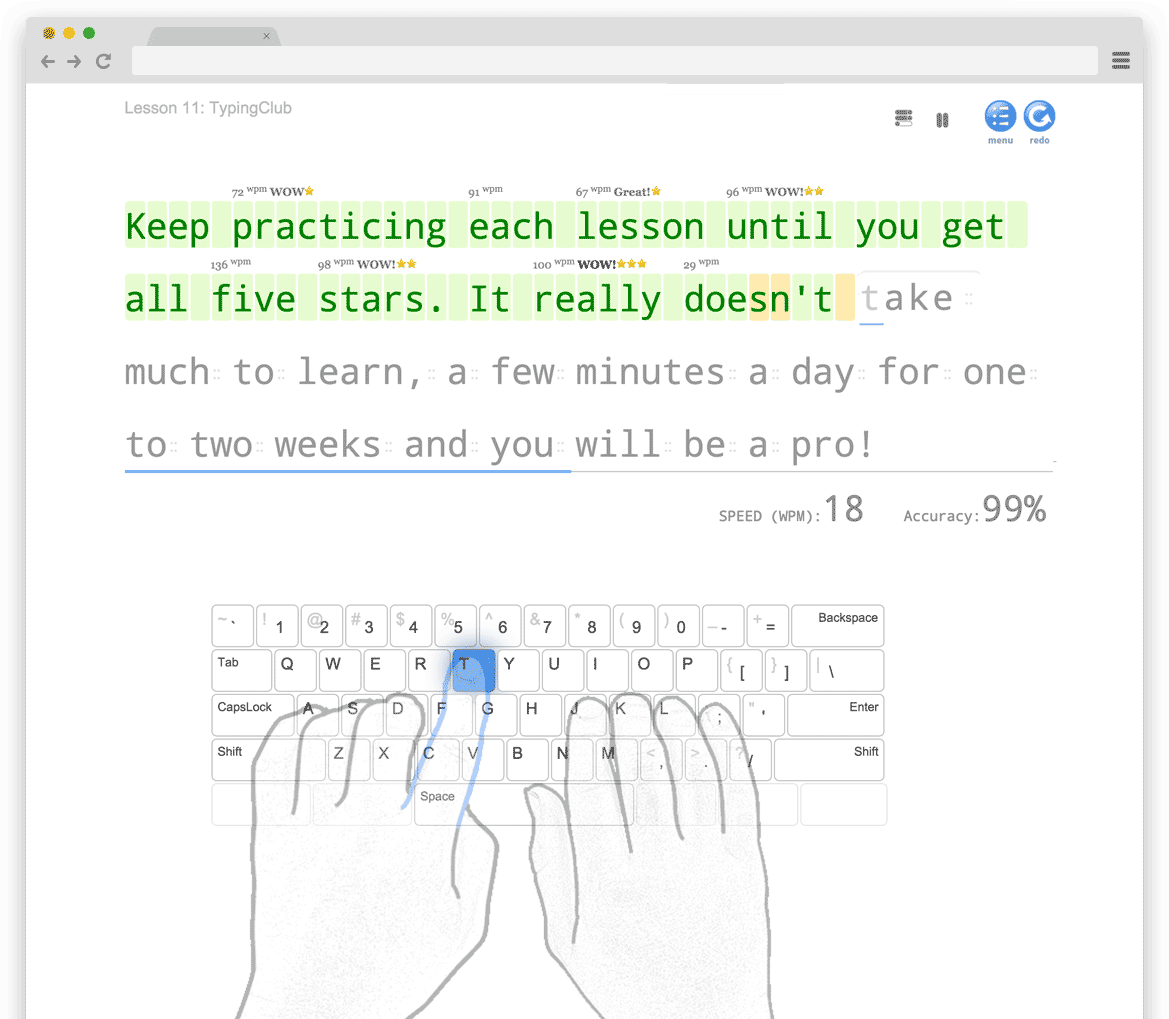
Moving past basic touch typing requires targeted, analytical practice methods. Sequential drills for character patterns and trigrams target the most frequent three-letter combinations in the English language, helping your fingers flow naturally from one letter to the next without cognitive hesitation. By incorporating metronome pacing, typists can establish a steady internal rhythm, replacing erratic bursts of speed with fluid, consistent momentum. Furthermore, advanced transcription methods—such as transcribing complex technical or legal text—train your brain to handle irregular punctuation and capitalization seamlessly.
2.2 Strategies for Significant WPM Breakthroughs
Breaking through a plateau in words per minute demands a shift in how your brain processes text. Utilizing cognitive pattern recognition allows you to stop looking at individual letters and instead anticipate entire words and common word pairings before your fingers hit the keys. When persistent errors slow you down, creating custom drills focusing exclusively on your personal weak-key combinations eliminates bottlenecks. Additionally, while standard QWERTY remains universal, exploring alternative layouts like Dvorak or Colemak can drastically reduce finger travel distance for advanced users seeking ultimate efficiency.
2.3 Integrating Tools and Maintenance into Daily Practice
Consistency relies on using the right ecosystem and keeping your sessions engaging. Selecting effective platforms that incorporate gamification, leaderboards, and real-time metrics can transform dry practice into an engaging daily habit akin to playing Mastering High Score Competitive Leaderboards: Pro Tips. Building a sustainable 15-minute daily routine ensures steady neural pathway reinforcement without causing hand fatigue. Finally, maintaining ergonomic awareness while addressing frequent questions regarding typing proficiency will safeguard your wrists and sustain long-term productivity.
Mastering the art of efficient keyboard navigation goes far beyond simply hitting keys faster; it is a transformative journey that rewires your cognitive architecture and unlocks new levels of digital productivity. By consistently dedicating a few minutes each day to targeted typing speed exercises, you cultivate profound muscle memory, enhance your spatial awareness, and dramatically lower your mental fatigue. Whether you are transitioning away from old habits like the hunt-and-peck method or refining your rhythm through structured drills, the path to sustained velocity is rooted in disciplined practice and unwavering accuracy.
Ultimately, transforming your keyboard proficiency into a seamless extension of your thoughts requires patience, correct ergonomics, and the right mix of challenges. To keep your daily practice engaging and ensure you are optimizing your overall setup, you can explore specialized keyboard binding setups that support long-term comfort and efficiency. Commit to the process, prioritize precision over raw speed, and watch as your enhanced typing capabilities elevate both your professional output and your daily digital experience.