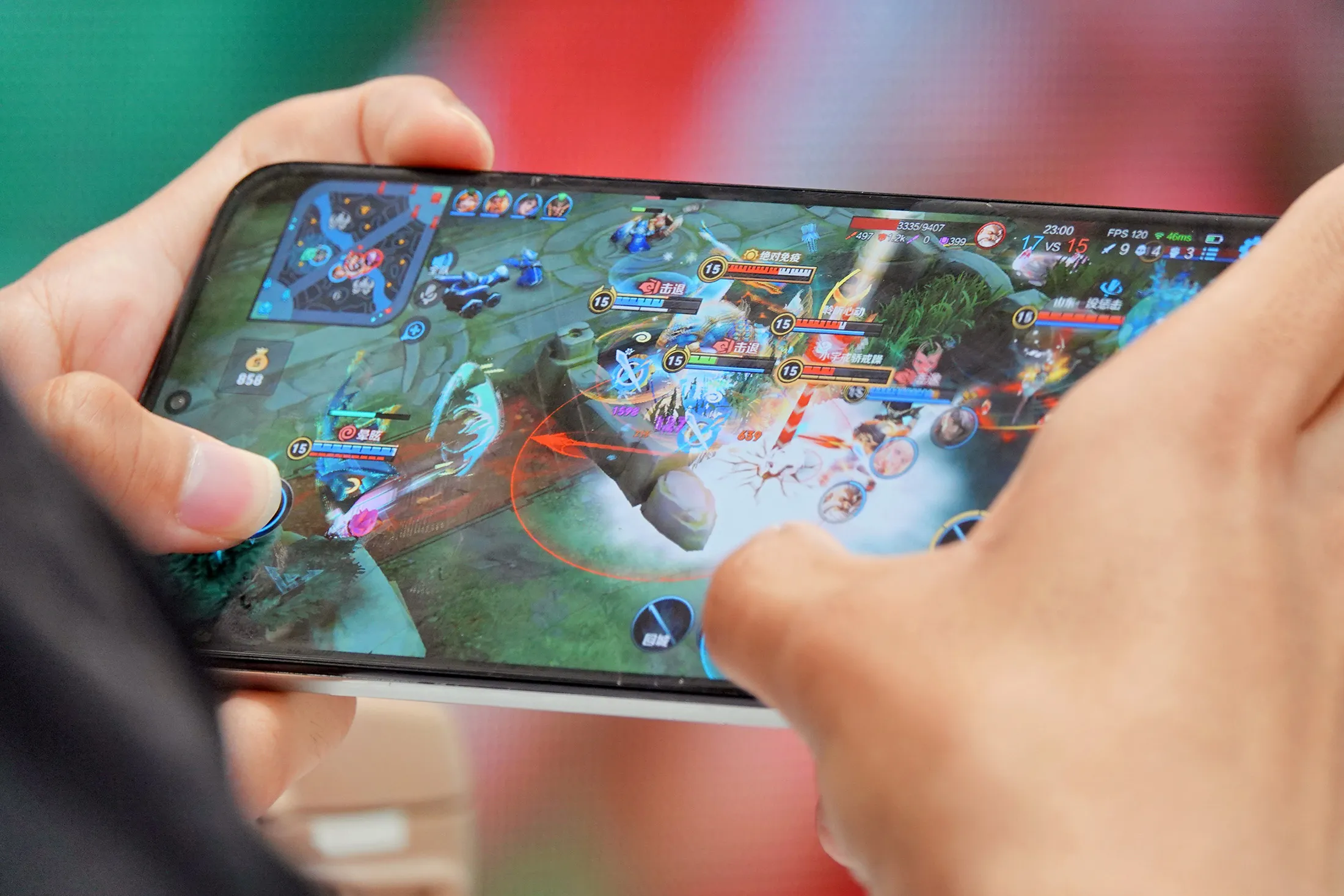
The landscape of Android games has evolved far beyond simple distractions, transforming smartphones into powerhouse consoles capable of delivering breathtaking visuals and complex mechanics. Whether you are looking for high-fidelity adventures that push the limits of your hardware or quick, casual experiences to fill a commute, the Google Play Store is packed with titles that rival even the most popular iPhone games in depth and engagement. However, navigating this vast ocean of software can be overwhelming, and even the best titles can feel frustrating if you haven’t mastered your device’s interface.
In this guide, we will explore the top picks across every major genre, helping you curate a library that fits your playstyle perfectly. Beyond just finding the right games, we will walk you through essential techniques for managing device performance and mastering touch screen controls to elevate your gameplay. By the end of this article, you will have the knowledge needed to turn your mobile device into a serious gaming rig.
1. The Best Android Games Across Every Genre and Skill Level
The Android ecosystem has evolved into a powerhouse for gaming, offering everything from quick time-wasters to console-quality experiences. Choosing the right mobile games depends entirely on your hardware and how much time you have to invest. Whether you are looking for a title that pushes your phone to its graphical limits or a minimalist experience for a quick commute, the diversity of the Google Play Store is unmatched.
1.1 High Fidelity Action and Immersive RPG Titles
1.1.1 Graphics intensive games that push smartphone hardware
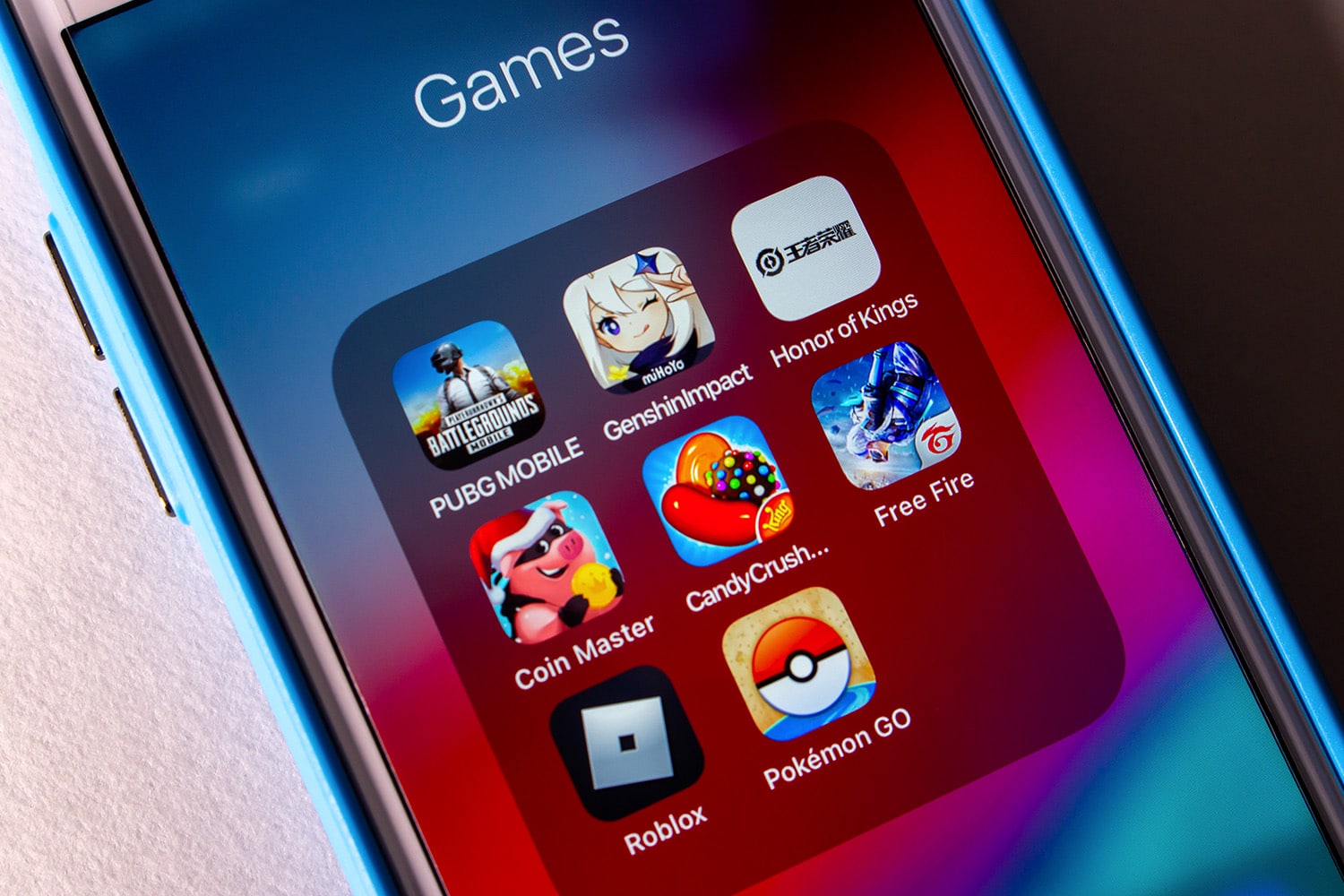
Modern flagship smartphones are essentially pocket PCs, and developers are taking full advantage of this. Games like Genshin Impact or Alien: Isolation demonstrate just how far mobile hardware has come, featuring complex lighting effects, high-resolution textures, and expansive open worlds. If you want to test your device’s capabilities, look for titles that allow for manual graphics customization; lowering the shadow resolution or frame cap can often help balance visual fidelity with thermal performance.
1.1.2 Story driven role playing games for long term progression
For those who prefer narrative depth, the RPG genre on Android is thriving. These games are designed for long-term engagement, often offering dozens of hours of gameplay. When diving into complex RPGs, pay attention to cloud save support, as this ensures your progress carries over if you upgrade your phone. These titles often demand a greater time investment but reward players with rich lore and character development that rivals traditional console gaming.
1.1.3 Competitive multiplayer games optimized for low latency
In the world of competitive mobile gaming, every millisecond counts. Titles like PUBG Mobile or Call of Duty: Mobile are engineered for responsiveness, ensuring that touch screen controls feel snappy even during intense firefights. To maintain a competitive edge, prioritize games that allow you to adjust your network settings and always play on a stable Wi-Fi connection to minimize latency spikes that could lead to dropped inputs.
1.2 Casual Picks and One Handed Gaming Experiences
1.2.1 Best puzzle and arcade games for quick commutes
Sometimes you just need a quick distraction. Casual arcade and puzzle games are perfect for short bursts of play. The best entries in this category offer intuitive mechanics that are easy to pick up but difficult to master. If you are struggling to choose between various genres, checking out our guide on best puzzle games can help you find titles that sharpen your logic and physics-based skills while you are on the go.
1.2.2 Minimalist titles designed for simple touch inputs
Minimalist games strip away unnecessary UI clutter to focus on a single, satisfying mechanic. By utilizing simple swipe gestures or single taps, these games avoid the frustration of overly complex button layouts. These titles are often the best candidates for one-handed gaming, allowing you to enjoy a seamless experience without needing a controller or awkward finger placements.
1.2.3 Strategies for finding high quality free to play options
Navigating free-to-play titles requires a discerning eye. Look for games that offer fair progression systems rather than those that gate progress behind “pay-to-win” mechanics. Reading community forums and checking recent reviews can reveal which games prioritize player experience over aggressive monetization. Often, the best free games are those with cosmetic-only in-app purchases that allow you to enjoy the full content without spending a dime.
1.3 Managing Device Performance for Seamless Gameplay
1.3.1 Adjusting display refresh rates for smoother motion
Many modern Android devices support high refresh rate displays, typically 90Hz or 120Hz. Enabling this in your system settings makes motion feel significantly fluid. However, keep in mind that higher refresh rates consume more battery. Check individual game settings as well, as some titles require you to manually toggle a high-frame-rate mode to utilize your display’s full potential.
1.3.2 Activating system wide game mode and performance toggles
Most Android manufacturers now include a dedicated “Game Mode” or performance dashboard. These tools are invaluable for blocking notifications, boosting CPU priority, and clearing background apps. By activating these features before you start your session, you can ensure that your device allocates its resources exclusively to the game, providing a much smoother and more stable frame rate.
1.3.3 Thermal management tips to prevent frame rate throttling
Heat is the enemy of mobile gaming performance. As your phone warms up during demanding sessions, the system will automatically throttle your processor speed to prevent damage, which results in noticeable frame rate drops. To combat this, avoid playing while your phone is charging, remove bulky protective cases that trap heat, and try to play in well-ventilated or cooler environments to maintain peak performance for longer periods.
2. Mastering Touch Controls and Mobile Gaming Hardware
2.1 Advanced Touch Techniques and Ergonomic Adjustments
Mastering touch screen controls is the single most effective way to improve your performance in fast-paced mobile games. While casual titles often rely on simple taps, competitive Android games require a more strategic approach to input.
2.1.1 The claw grip method for multi finger input efficiency
The claw grip involves using your index fingers to interact with the top half of the screen while your thumbs handle movement and secondary actions. This technique allows you to perform complex maneuvers, such as aiming while jumping or reloading, which would be impossible with just two thumbs. It may feel awkward initially, but it significantly reduces the time between identifying a target and executing an action.
2.1.2 Customizing on screen HUD opacity and button layouts
Most high-fidelity Android titles offer customizable Heads-Up Display (HUD) settings. Take advantage of this by dragging your most-used buttons to where your fingers naturally rest. If your screen feels cluttered, decrease the opacity of non-essential UI elements. A cleaner view improves your situational awareness during intense combat.
2.1.3 Reducing input lag through calibration and haptic feedback
Input lag can be the difference between a win and a loss. Ensure your device is calibrated correctly by adjusting the touch sensitivity in your system settings. While haptic feedback provides satisfying tactile sensations, it can sometimes introduce micro-delays or drain your battery. If you find your inputs aren’t registering precisely, try disabling haptics to see if responsiveness improves.
2.1.4 Mitigating fat finger syndrome in precision oriented games
If you find yourself hitting the wrong buttons, consider increasing the size of your on-screen controls in the game’s settings menu. Additionally, using a matte screen protector can provide a slightly more textured surface, which helps with tactile grip and reduces the friction that often causes “fat finger” errors during sweaty gaming sessions.
2.2 Hardware Accessories to Enhance Your Android Games Experience
When software adjustments aren’t enough, physical hardware can bridge the gap between casual and pro-level play. Upgrading your setup is a great way to refine your experience, much like how you might need to troubleshoot your audio hardware for better immersion.
2.2.1 Choosing between Bluetooth and USB C gaming controllers
Bluetooth controllers offer wireless freedom but can introduce slight latency. For competitive play, USB-C controllers that connect directly to the phone’s port are superior, as they provide a near-instant physical connection. These controllers effectively turn your device into a portable console, providing analog sticks and tactile buttons that far outperform any touch interface.
2.2.2 Using physical triggers and screen protectors for improved responsiveness
Clip-on shoulder triggers are an affordable alternative to full controllers. These mechanical devices sit on the edge of your phone and tap the screen for you, allowing you to use four fingers without a complex grip. Combined with a clean, high-quality screen protector, these triggers provide a physical “click” that makes precision shooters feel much more natural.
2.2.3 Compatibility guides for external peripheral support
Always verify peripheral compatibility before purchasing. While most modern Android games support standard HID (Human Interface Device) controllers, some titles require specific mapping software. Check the game’s official support page or community forums to ensure your specific controller model will be recognized without requiring risky third-party workarounds.
2.3 Troubleshooting and Accessibility for Android Gamers
Gaming should be inclusive and accessible. Android offers robust features to ensure everyone can enjoy mobile titles regardless of physical limitations.
2.3.1 Essential accessibility features for users with motor impairments
Explore the “Accessibility” menu in your Android settings to find features like “Switch Access,” which allows users to interact with the screen using external switches or voice commands. Many modern games also include built-in accessibility toggles for toggling “Hold to Sprint” or “Auto-Fire” modes, which significantly reduce the physical strain of prolonged sessions.
2.3.2 Battery optimization strategies for high graphics gaming
High-performance gaming is notoriously hard on batteries. To maintain steady performance without overheating, turn on “Battery Saver” modes only for lighter games. For graphically demanding titles, use a dedicated gaming mode that limits background syncing and restricts power-hungry apps from drawing energy while you play.
2.3.3 Clearing cache and background processes to reduce touch input lag
If your touch inputs feel “mushy” or delayed, your device might be struggling with background processes. Periodically clearing your game’s cache and closing background applications frees up RAM, which is essential for low-latency touch processing. If performance remains sluggish, a quick system reboot can clear temporary bugs and restore peak responsiveness.
Finding the perfect Android games involves more than just downloading the latest trending titles; it is about balancing hardware capabilities with your personal playstyle. Whether you are pushing your device to its limits with high-fidelity graphics or looking for a relaxing, minimalist experience to pass the time, the diverse ecosystem of mobile games offers something for every type of player. By mastering advanced touch screen controls and learning how to properly manage your device’s thermal and power settings, you can transform your smartphone into a truly powerful portable console.
Remember that the best experience often comes down to your comfort and the level of customization you apply to your interface. If you find yourself frequently switching between platforms, you might also want to explore how these titles compare to iPhone games to see which hardware provides the best optimization for your favorite genres. We encourage you to experiment with different ergonomic grips and accessories to see what feels most natural for your hands. Ultimately, the gaming world is yours to explore, so dive into these recommendations and start leveling up your mobile experience today.