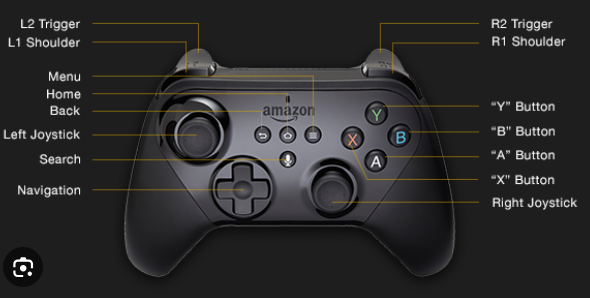
Every competitive gamer knows the sudden frustration of a missed input or a delayed reaction during a high-stakes match. Whether you are battling through a crowded lobby in a tactical shooter or orchestrating a complex rotation in an MMORPG, your hardware is only as effective as the commands you feed into it. Mastering controller mapping guides empowers you to bridge the gap between your tactical intentions on-screen and your physical reactions in real life, ensuring every button press registers instantly and comfortably.
Beyond simply swapping a few face buttons, deep control customization involves calibrating deadzones, assigning modifier layers, and aligning your hardware configurations with your personal ergonomics. While some players naturally lean toward alternative input schemes like keyboard binding setups, others prefer the couch-friendly precision of a heavily optimized gamepad. In this comprehensive guide, you will learn how to evaluate your controller hardware, fine-tune your software settings, and build genre-specific layouts that elevate your gameplay, reduce physical fatigue, and maximize your overall competitive performance.
Mastering Controller Mapping Guides for Competitive Performance
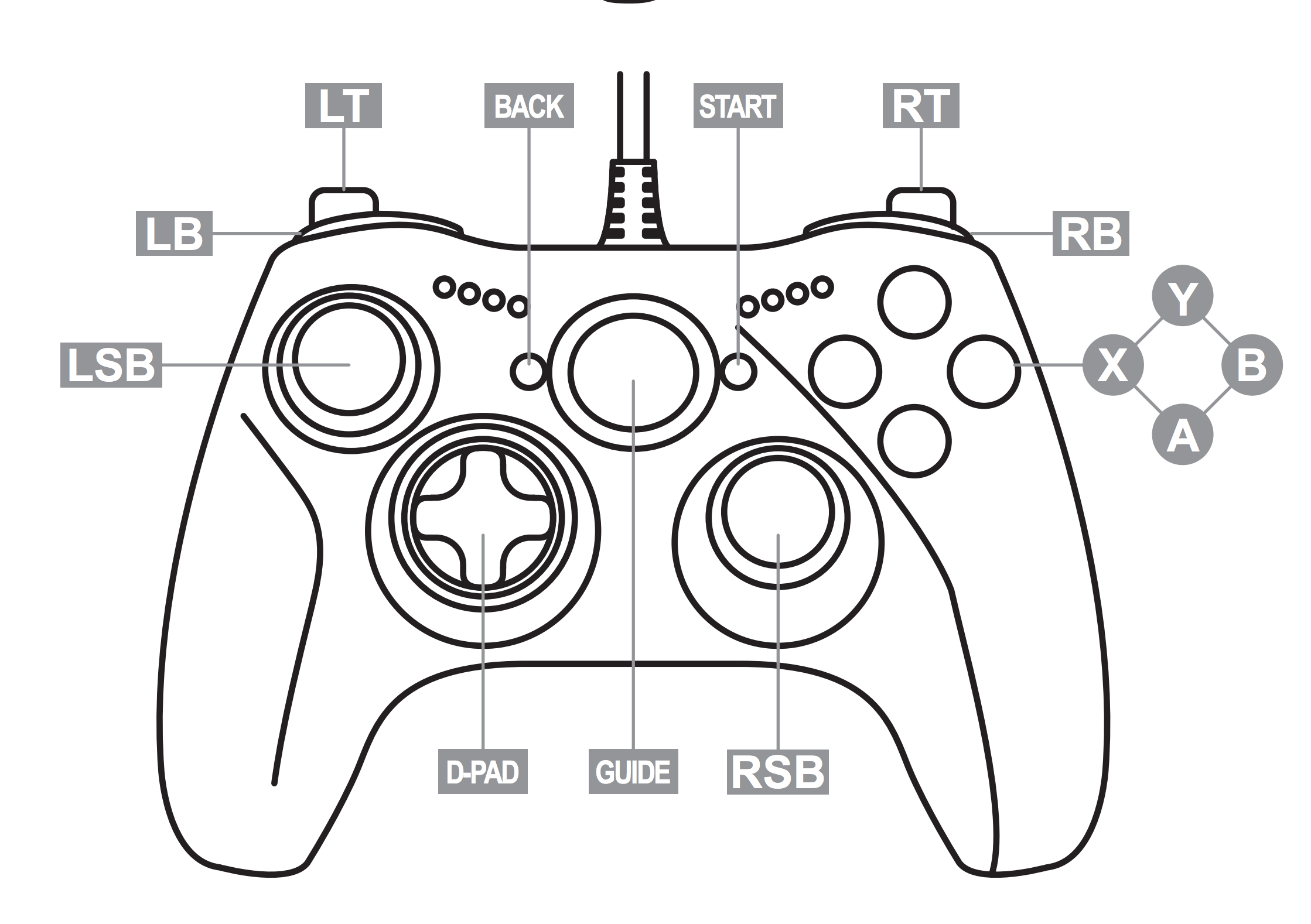
Fine-tuning your input peripherals is essential whether you are trying to climb competitive ladder ranks or simply seeking a more comfortable gaming experience. Effectively utilizing controller mapping guides allows you to bridge the gap between human reaction time and digital execution, minimizing unnecessary hand movement and reducing input latency across your favorite titles.
Understanding Controller Hardware and Input Latency
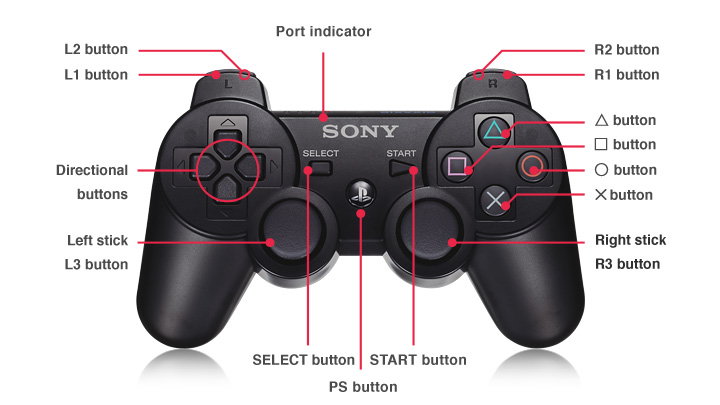
Your journey toward peak input optimization begins right at the hardware level. Evaluating standard controllers versus pro controllers with back paddles reveals a massive difference in how efficiently you can execute complex actions. Pro controllers let you map face buttons to rear paddles, ensuring your thumbs never have to leave the thumbsticks during intense firefights or movement-heavy platforming sequences.
Calibrating deadzones, sensitivity curves, and input response thresholds ensures your thumbsticks register movement instantly without unwanted drift. Meanwhile, hardware-level adjustments including trigger stops and adjustable stick tension let you physically shorten actuation distance, giving you a distinct millisecond advantage in fast-paced competitive environments.
Ergonomic Principles for Long-Term Gaming Health
Reducing repetitive strain through strategic button placement protects your hands during marathon gaming sessions. Balancing comfort with reaction time in high-intensity gaming means evaluating how your fingers naturally rest on the grips and mapping high-frequency actions to your strongest digits.
Configuring modifier keys to prevent finger fatigue is especially useful when dealing with titles that demand dozens of unique inputs. By establishing a smart modifier scheme, you multiply your available commands without forcing your hands into awkward, cramped postures that trigger discomfort over time.
Leveraging Universal Software for Advanced Configurations
Utilizing Steam Input for cross-platform controller compatibility unlocks deep customization options for games that might otherwise lack native peripheral support. Beyond simple button swaps, modern desktop software lets you create custom radial menus and gyro-aiming profiles that rival traditional mouse-and-keyboard precision.
Managing system-level settings via official Xbox Accessories and DualSense menus ensures your firmware stays up to date while locking in your preferred hardware deadzones. While third-party remapping software can offer even greater flexibility, users should navigate these tools carefully to avoid triggering anti-cheat software in competitive multiplayer titles.
2. Genre-Specific Strategies for Optimized Controller Mapping Guides
2.1 Advanced Keybind Techniques for Complex Inputs
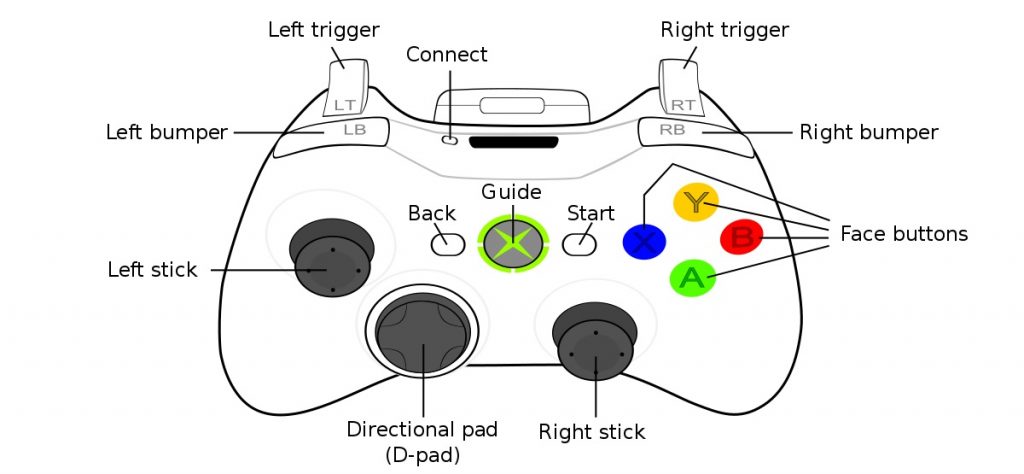
Maximizing limited controller hardware requires moving beyond default configurations, particularly in input-heavy genres. Implementing radial menus and cross hotbars for MMORPGs allows players to access dozens of spells and abilities without losing fluid movement control. By mapping a modifier trigger—such as holding the left bumper—to alter the face buttons or directional pad, you can drastically multiply your available inputs. This technique pairs effectively with thoughtful UI layout personalization, ensuring your on-screen skill bars mirror your physical button layout for instant visual confirmation during high-stakes encounters.
In fast-paced shooters, mastering toggle versus hold functionality can mean the difference between winning and losing a firefight. Setting your crouch, sprint, or aim-down-sights (ADS) actions to hold rather than toggle eliminates input lag and prevents accidental lock-ins during chaotic movement sequences. Furthermore, utilizing multi-layered keybinds through software like Steam Input unlocks peripheral capabilities, such as assigning secondary actions to a double-tap or a long-press of a single button.
2.2 Refining Layouts for Genre-Specific Gameplay
Every gaming genre places distinct demands on your motor skills and reaction times, necessitating tailored approaches to controller mapping guides. When configuring competitive shooters, your primary focus should be on fine-tuning aim response curves and camera lock-on behaviors to achieve smooth, predictable tracking. Conversely, action titles and looter games thrive on intuitive ability triggers; mapping your core healing items or defensive dodges to easily accessible bumpers or back paddles keeps your thumbs firmly planted on the analog sticks.
Fighting games require an entirely different paradigm, focusing on precise input timing and flawless combo execution. Because traditional gamepads feature a floating D-pad that can occasionally cause misinputs, mapping shortcuts or assigning frequent macro combinations to shoulder buttons can stabilize your special moves without breaking competitive rulesets. Evaluating how your chosen layout handles rapid directional transitions will drastically improve your execution consistency.
2.3 The Iterative Process of Layout Optimization
Achieving a truly seamless control scheme is rarely a one-step process; it requires an ongoing cycle of testing and refinement. Begin your journey by conducting a baseline audit of your current button mapping to identify friction points where your fingers have to stretch awkwardly or where inputs frequently conflict. Once you have identified these pain points, validate any new settings exclusively in training modes or low-stakes environments rather than jumping straight into ranked matches.
Developing muscle memory through consistent practice routines is the final hurdle in mastering a new controller layout. Expect your performance to dip temporarily during the first few hours of transition as your brain rewires its spatial awareness. Stick with the adjustments through this initial adjustment phase, and you will soon unlock a faster, more ergonomic, and deeply personalized gaming experience.
Fine-tuning your control layout is an iterative journey that goes far beyond simply swapping a few buttons. By systematically adjusting hardware thresholds, exploring genre-specific strategies, and prioritizing your long-term ergonomic health, you can drastically elevate your competitive performance. Whether you are transitioning to advanced multi-layered keybinds or looking for alternative control schemes like UI layout personalization, the ultimate goal is to make your controller feel like a natural extension of your hands.
Remember that building genuine muscle memory takes time and patience. Start by making incremental adjustments, validate your new configurations in low-stakes training environments, and don’t be afraid to tweak your setup as your favorite genres evolve. Implement these controller mapping guides today to unlock faster reaction times, eliminate hand fatigue, and dominate your favorite leaderboards.